
Resource page link building still works because the page owner already wants to send readers to useful external resources. It is the practice of earning backlinks from pages that curate and link out to helpful industry content, by finding those pages, qualifying them, and pitching a resource that makes the page more useful. The tactic earns relevant, editorial links because you are adding value to a list someone built on purpose, not begging for a favor.
This guide walks the full workflow: find prospects with search operators and competitor research, vet them so you stop wasting outreach, match the right asset to each page, find the real contact, and send pitches that make the link easy to add.
Prerequisites: What You Need Before You Start
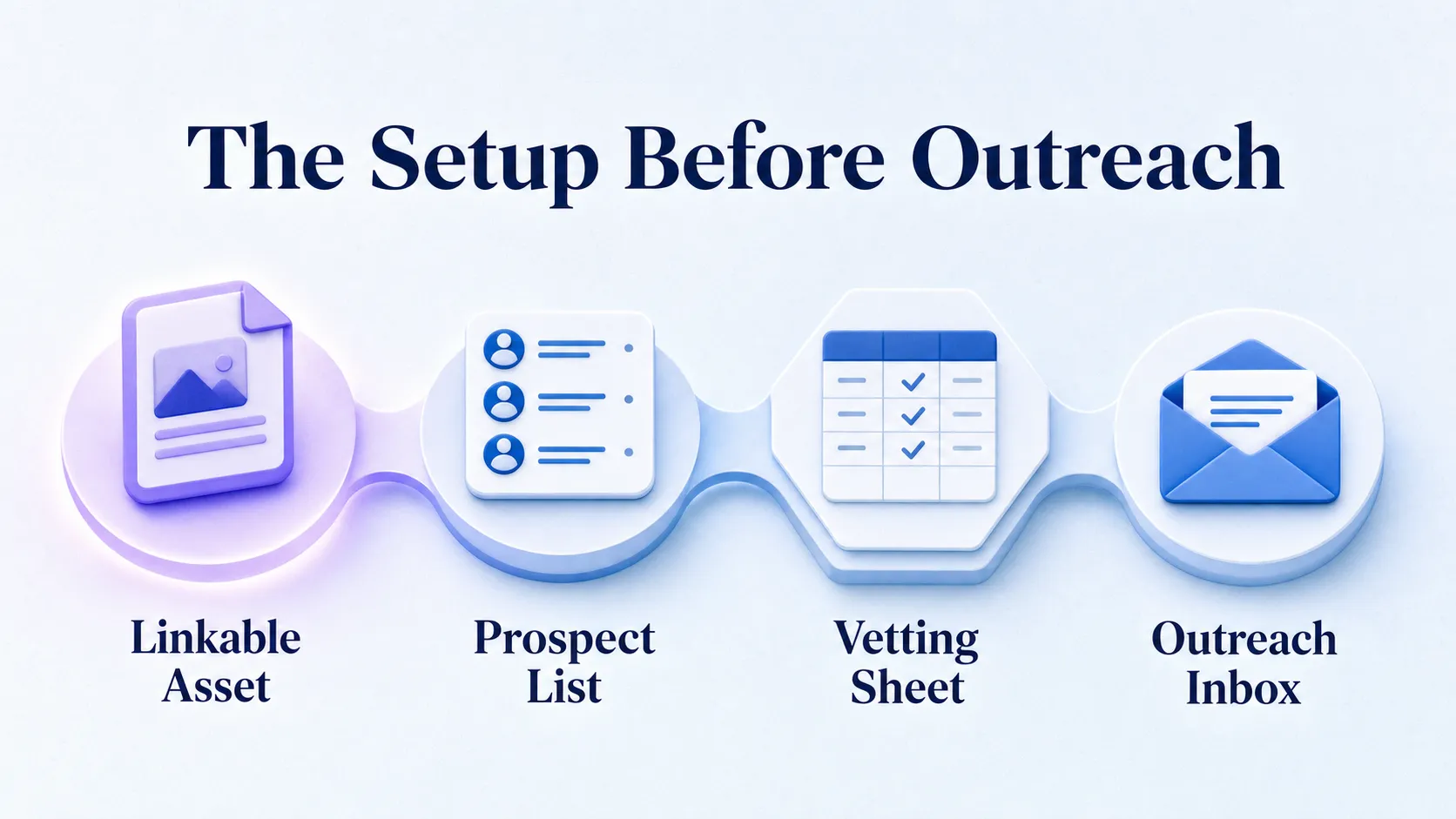
Before you prospect a single page, you need one genuinely useful asset, a small prospecting stack, and a way to track outreach. Most campaigns fail before the first email goes out, because the asset and the target page never matched in the first place.
The Minimum Asset You Need
You need a resource that genuinely helps the target page’s audience. That means a guide, a free tool, a checklist, a template, or an original data piece, not a product page or a thin blog post.
The test is simple. If your asset would not make the resource page more useful to its readers, you have nothing to pitch yet. Build the asset first, then prospect.
The Tools That Carry the Work
Your core stack stays small. You need Google search operators for discovery, Ahrefs or Semrush for competitor backlink research, a broken-link checker browser extension, a spreadsheet or simple CRM for tracking, and an outreach inbox you can send personalized email from.
None of this is exotic. The advanced part is judgment, not software. A tighter prospecting workflow built on free operators beats a sloppy one running on expensive tools.
When to Use This Tactic, and When to Skip It
Use resource page link building when your topic has active resource pages, when those pages already link out to external resources, and when your asset solves a recurring problem in the niche. Those three signals mean the demand for your link already exists.
Skip it when your content is thin, when you only have product pages with no editorial value, or when nobody in your space curates external resources at all. Forcing the tactic onto an unfit topic burns hours for almost no placements. If you are still mapping which link tactics suit your situation, the broader rundown of link building methods worth testing helps you place this one in context.
Step 1: Find Relevant Resource Pages
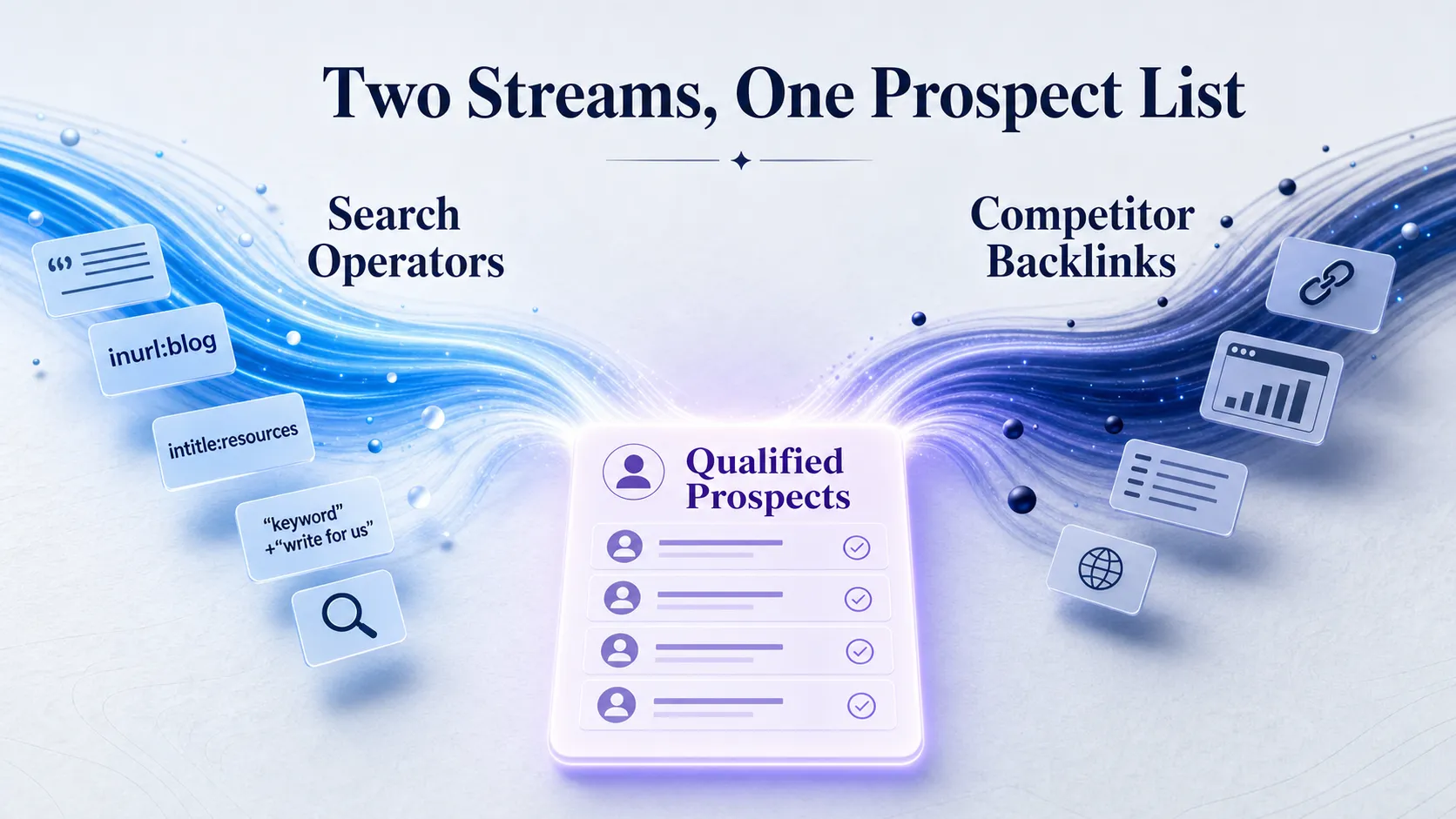
You build a prospect list three ways: Google search operators, competitor backlink research, and niche-specific search variations. A focused list of 25 highly relevant pages outperforms a generic dump of 200 every time.
Use Search Operators to Surface Pages
Start with query patterns that target the page structure itself. Combine your niche with operators like intitle:resources, inurl:resources, “useful links” + your niche, “recommended resources” + your niche, and “best resources” + your niche.
These footprints find pages built to link out. Run each variation, scan the results, and keep the ones that already point to external sites rather than only internal pages.
Broaden Without Losing Relevance
Not every resource page calls itself a resource page. Widen the net with phrases like “places to learn,” “helpful links,” “toolkit,” and “resource roundup,” paired with your topic.
These broader strings catch the pages your competitors miss. Just keep the topic word locked in so relevance holds while the format loosens.
Narrow for Better Fit
To sharpen fit, add audience or use-case modifiers. Append “for SaaS,” “for teachers,” or “for local businesses” to your queries so the pages you find serve the exact reader your asset helps.
Reverse-Engineer Competitor Backlinks
Drop a competitor’s strong content into Ahrefs or Semrush and pull its referring pages. Filter for pages linking out to similar content, and you uncover resource pages already willing to cite work like yours. This overlaps with broader SEO competitor analysis, so you can reuse the same exports for more than one purpose.
Capture each prospect the moment you find it: the URL, the page title, the niche angle, the suspected owner, and a one-line relevance note. A prospect you do not record is a prospect you lose.
Step 2: Vet and Qualify Prospects
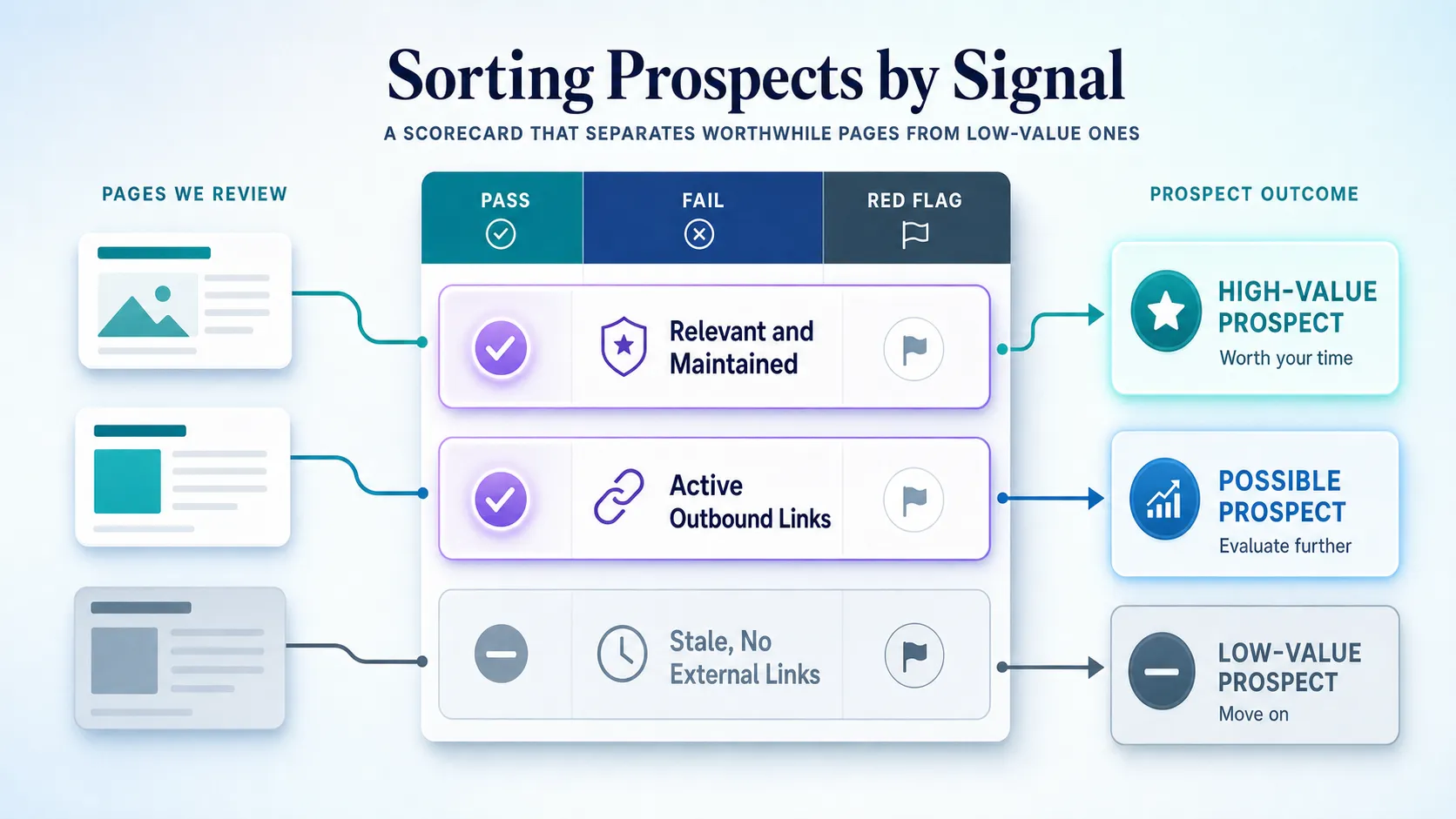
Vetting filters out pages that will never convert before you spend outreach on them. Metrics give you a first-pass triage, but topical fit and page maintenance decide whether a page is worth your time.
A lower-authority page with active outbound links and tight topic fit often converts better than a high-DR page nobody has touched in years. Authority alone does not earn the link; relevance and an actively curated list do.
| Check | Pass signal | Red flag |
|---|---|---|
| Authority (DR, DA, Authority Score) | Reasonable for the niche, used as triage only | Treated as the only deciding factor |
| Topical relevance | Page covers your exact subject area | Loose or unrelated topic |
| Freshness | Recent updates, current copyright year | Stale copyright, dead links |
| Outbound links | Links to external resources, working | No external outbound links |
| Maintenance | Clear categories, actively managed | Abandoned, noindex, thin content |
| Intent of page | Genuinely curates useful resources | Exists only to sell placements |
Handle Nofollow Pages With Judgment
A nofollow resource page can still be worth pitching. If the page is highly relevant and sends meaningful referral traffic, the link earns its place even without passing ranking signal.
Do not auto-reject on link attribute alone. Reject on irrelevance, abandonment, and spam, which are the signals that actually waste your effort.
Step 3: Match the Right Resource to the Right Page
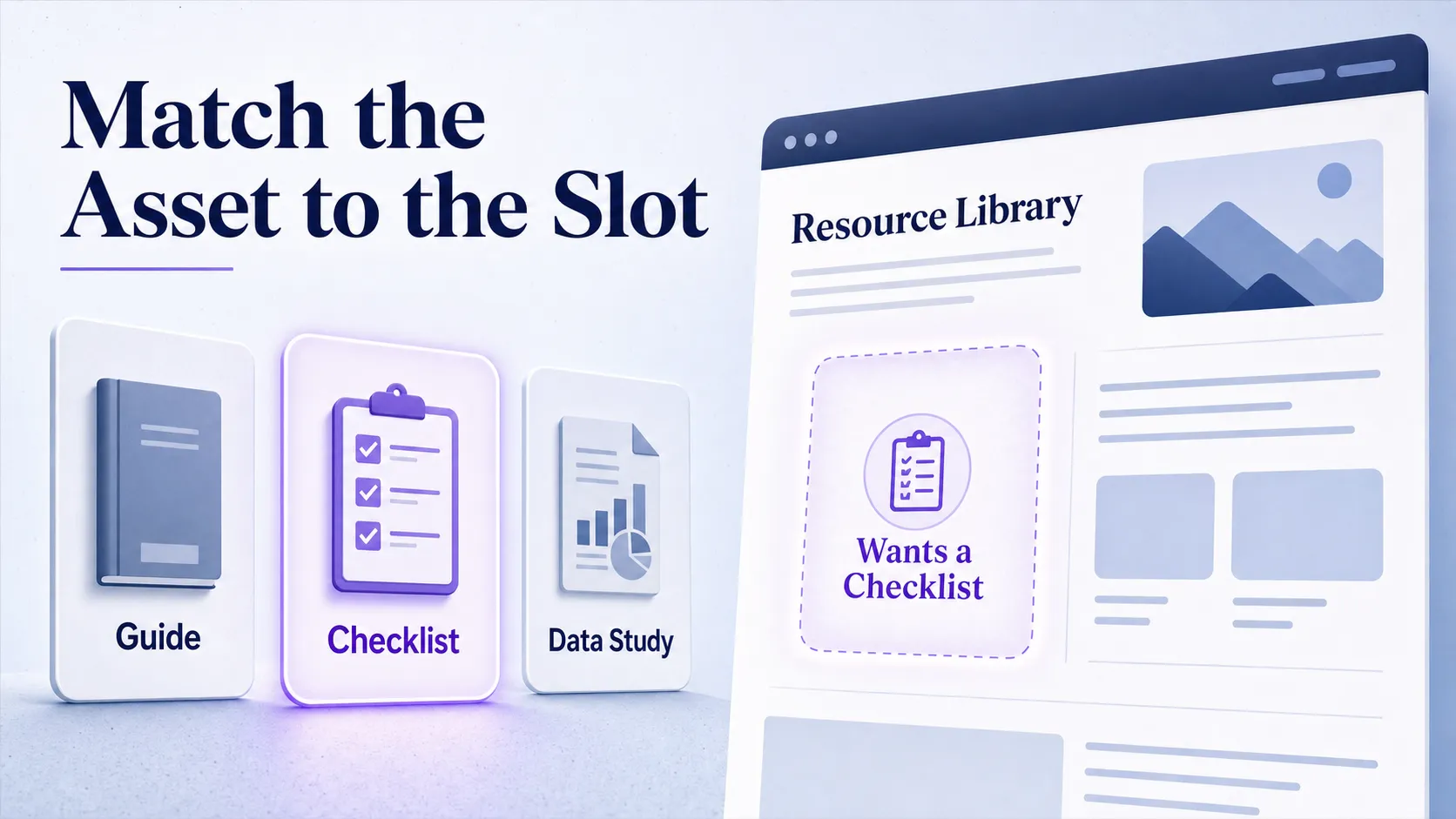
Before you write a single pitch, compare each page’s topic, audience, and link style against your own content. “Close enough” content rarely converts as well as a resource built for the page’s specific link intent.
When to Pitch an Existing Asset
Pitch what you already have when the content directly answers the page’s audience need and reads as a clean reference as-is. If the page lists in-depth guides and you own a strong one on the exact topic, you are ready to reach out.
When to Build a New Asset First
Build something new when your current content is close but not the best format, or when the opportunity is valuable enough to justify a purpose-built resource. If the page wants a checklist and you only have a long-form essay, create the checklist instead of forcing the pitch.
This is the difference between chasing links and earning them. Matching the format to the page’s link style is part of the patient, deliberate side of manual link building done well, where fit beats volume.
Read the Page’s Link Style
Look at what the page already links to. Some curate tools, some prefer guides, some lean on studies, and some only list quick reference links. Pitch the format the page already rewards, not the format you happen to have.
Step 4: Find the Right Contact and Prepare the Pitch
Outreach only converts when it reaches the person who actually maintains the page, and only when it proves you read that page. Contacting the wrong person quietly kills your response rate.
Identify the Real Decision-Maker
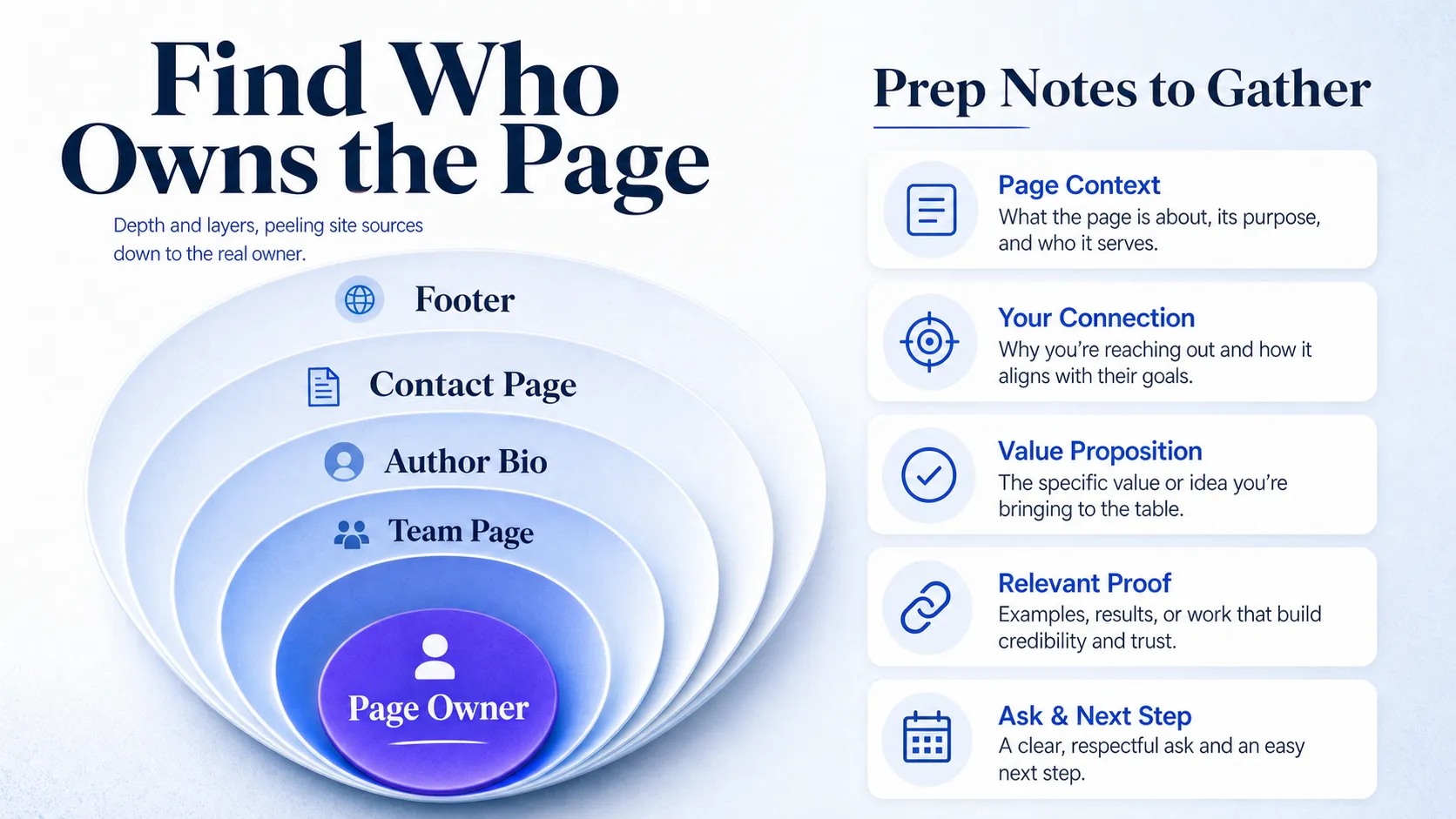
Work down the obvious sources: the page footer, the contact page, the author bio, the site team page, and LinkedIn when the owner stays hidden. A webmaster who manages the server is not the editor who curates the list, and pitching the wrong one means no reply. Find the person who controls what goes on the page.
Gather Context Before You Email
Note four things before writing: the page’s purpose, the type of resources already linked, the best spot where your link would fit, and any broken or outdated links you spotted. This is the raw material for a pitch that sounds like a person, not a template.
Write a Subject Line That Earns the Open
Keep the subject short, specific, and page-relevant. Reference the actual page or resource, skip the hype, and let the specificity do the work. A subject that names the page beats one that shouts.
Set Your Personalization Minimum
Every pitch carries at least one page-specific reference, one sentence on why the resource fits, and one clear ask. Personalization works only when it proves you understood the page’s curatorial purpose, not when you swap in the recipient’s first name and call it custom. The same principle drives any reply-worthy outreach campaign: relevance you can demonstrate beats volume you cannot.
See where AI answers put your brand
Twenty minutes with a senior strategist: where the major engines point buyers in your category, who gets named instead of you, and a straight read on what a programme would change.
Book a strategy callStep 5: Send Outreach, Follow Up, and Track Results
Your outreach uses a four-part structure, runs a short follow-up cadence, and feeds a tracking sheet you reuse on every campaign. The second touch often beats the first, especially when it adds a concrete value point.

Use these steps as your repeatable outreach loop:
- Open with a genuine, page-specific line.
- Add one sentence on why your resource fits the page.
- Give the exact URL to add and where it belongs.
- Close with one low-friction ask.
- Log every send in your tracking sheet.
The Standard Resource Page Pitch
For a clean prospect, the four-part structure runs straight through: a personalized opener that names the page, a one-sentence value proposition, the exact URL to add with a suggested spot, and a single ask. Keep the email under a screen’s worth of text so the editor can act in two minutes.
The Broken-Link Pitch
When you found a dead link on the page, lead with it. Point out the broken resource, then offer your asset as the replacement. You are fixing their page before you ask for anything, which is why this angle, sometimes called a dead-link replacement, converts harder than a cold suggestion.
Set a Realistic Follow-Up Cadence
Plan 2 to 3 follow-ups across 10 to 14 days. Each follow-up adds a new angle, a broken link you spotted, a fresher version of the resource, a different placement idea, instead of repeating the same message. Stop after the third; more than that reads as pressure, not persistence.
Track the Fields That Matter
Record the prospect URL, contact, send date, follow-up date, reply status, placement status, link type, and a short note on why the prospect converted or did not. Those notes are how you learn which prospect types pay off, so your next list is sharper than the last.
Set Honest Expectations
Replies and placements stay modest, response times vary, and the best results come from steady prospecting rather than one big blast. The most common failures are predictable: mass outreach, thin content, the wrong contact, stale pages, and ignoring where the link would actually sit on the page. Avoid those five and your conversion rate climbs without any clever trick.
Frequently Asked Questions
What is a resource page in SEO?
A resource page is a webpage that curates and links out to useful external content on a specific topic. It exists to point readers toward helpful tools, guides, and references, which is exactly why it makes a strong link-building target: the page owner is already in the business of recommending outside resources.
How do I find resource pages in my niche?
Use Google search operators that target the page format, then layer in competitor backlink research. Combine your topic with strings like inurl:resources, “useful links”, and “recommended resources,” then pull referring pages from a competitor’s strong content in Ahrefs or Semrush to find pages already linking to work like yours.
How do I ask for a backlink from a resource page?
Email the person who actually maintains the page with a short, personalized pitch. Reference the specific page, explain in one sentence why your resource fits the list, give the exact URL and a suggested spot, and keep the ask simple. If you spotted a broken link on the page, lead with that and offer your asset as the replacement.
Are resource page backlinks worth it?
Yes, when the pages are relevant and actively maintained. Resource page links tend to be editorial, topically relevant, and long-lived, since curated lists stay live for years. The value drops fast on abandoned or spammy pages, so vetting matters more than chasing the highest authority score you can find.
Should I target .edu resource pages?
Target them only when they are genuinely relevant and link out to external resources, not because of the domain extension. Many .edu resource pages link only to internal departments or gated student tools, which gives you nowhere to fit. A relevant industry page that actively curates outside links is usually a better prospect than a prestigious .edu page that never links out.
Your First Prospect List Beats a Perfect Plan
The honest reality: this tactic rewards consistency, not cleverness. You will not see a flood of placements in week one, and the campaigns that work are the ones where the asset genuinely earns its spot on the page. Build your first list of 25 tightly relevant resource pages, then audit one existing asset against them to see whether it fits or needs reshaping.
See how this fits a full link building approach once your list is live. Want to know where your brand already stands in AI search and which pages cite you? Book a strategy call and start from real data.