
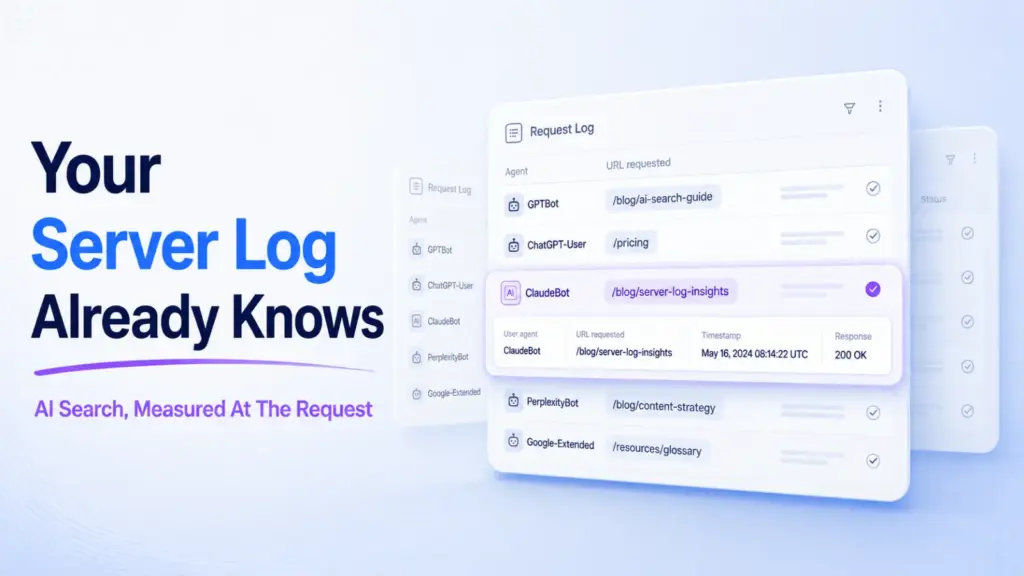

Server logs are the one place you can watch AI systems read your site.
Not a dashboard estimate. The requests themselves, each with a timestamp and a user agent attached.
We’ve logged every AI agent request to this site since 29 May 2026. Over the 74 days to 10 August, that came to 13,977 page requests from AI crawlers across 3,118 distinct URLs.
Server logs for AI search tell you which AI systems fetch your pages, how often, and which URLs they take. They can’t tell you whether you were cited. That gap is where most measurement goes wrong.
What the Log Shows
Four findings came out of the 74 days.
- Two kinds of agent visit, and only the user agent separates them.
- The homepage and the sitemap absorbed a quarter of every AI request.
- 69% of the URLs fetched at all were fetched exactly once.
- llms.txt was requested 28 times against 13,977 page requests.
What a Log Line Gives You
A log line gives you four fields worth reading: who asked, what they asked for, when, and what your server returned.
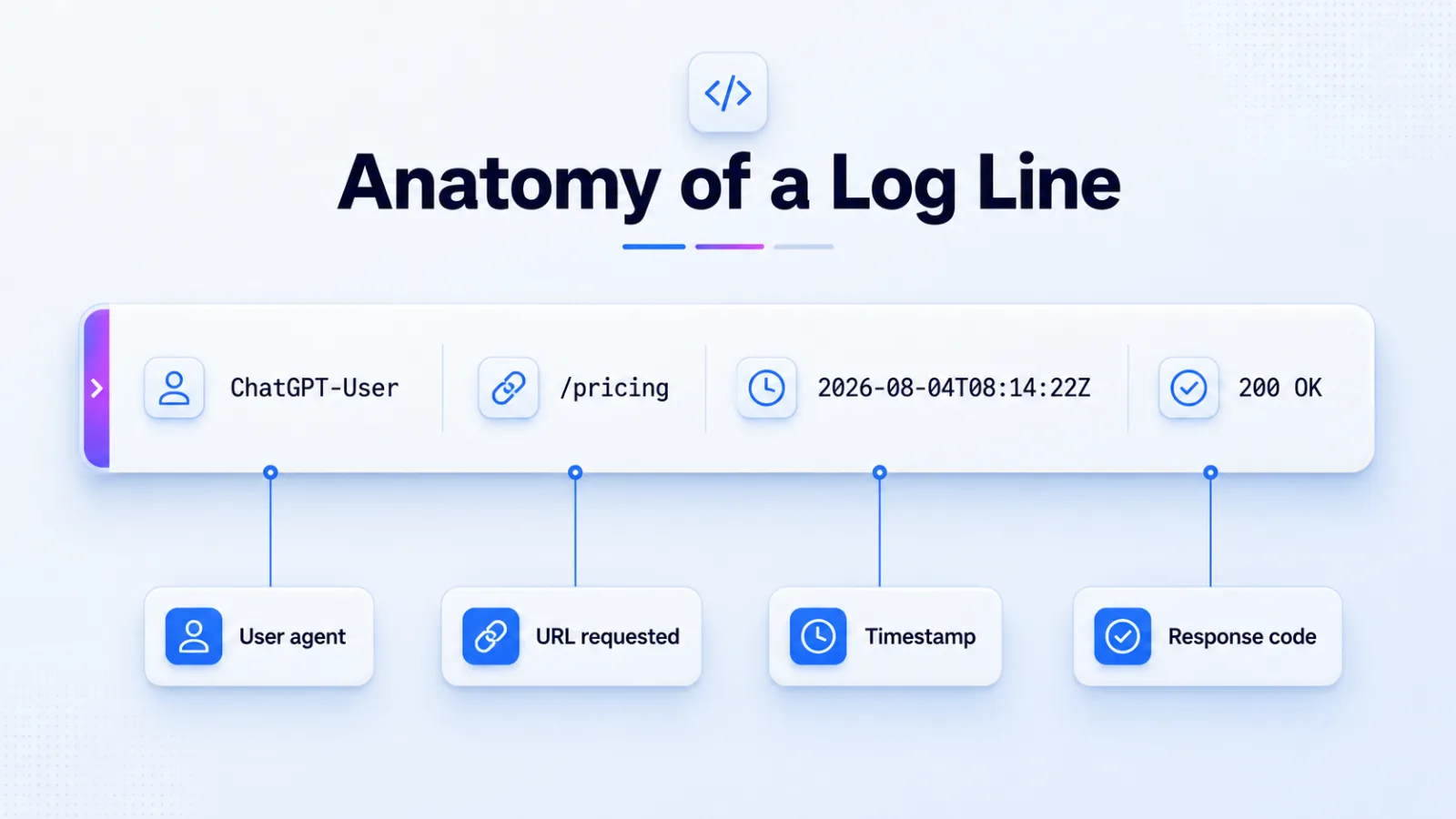
The user agent is the field that matters. It’s the only place an AI system identifies itself, and the labels are specific enough to separate one company’s crawlers from another’s.
Here are the ten agents that hit this site hardest over the last 30 days.
| Agent | Requests, 30 days | What the user agent declares |
|---|---|---|
| claude-train | 804 | Collecting text for model training |
| bing | 633 | Search index, which also grounds Copilot |
| huawei | 566 | Search index |
| amazon-ai | 544 | Assistant crawling |
| chatgpt-browse | 537 | Fetching pages during a live answer |
| openai-search | 480 | Serving ChatGPT search results |
| openai-train | 476 | Collecting text for model training |
| bytedance-douba | 395 | Assistant crawling |
| meta-ai | 383 | Assistant crawling |
| perplexity-train | 163 | Collecting text for model training |
Treat every count here as a floor rather than a total. A full-page cache can answer a bot without your logging code running, so the real numbers sit somewhere above these.
Two Visits That Look the Same and Mean Different Things
A training crawler and a retrieval agent both arrive as a request for a URL, and they tell you opposite things about your visibility today.
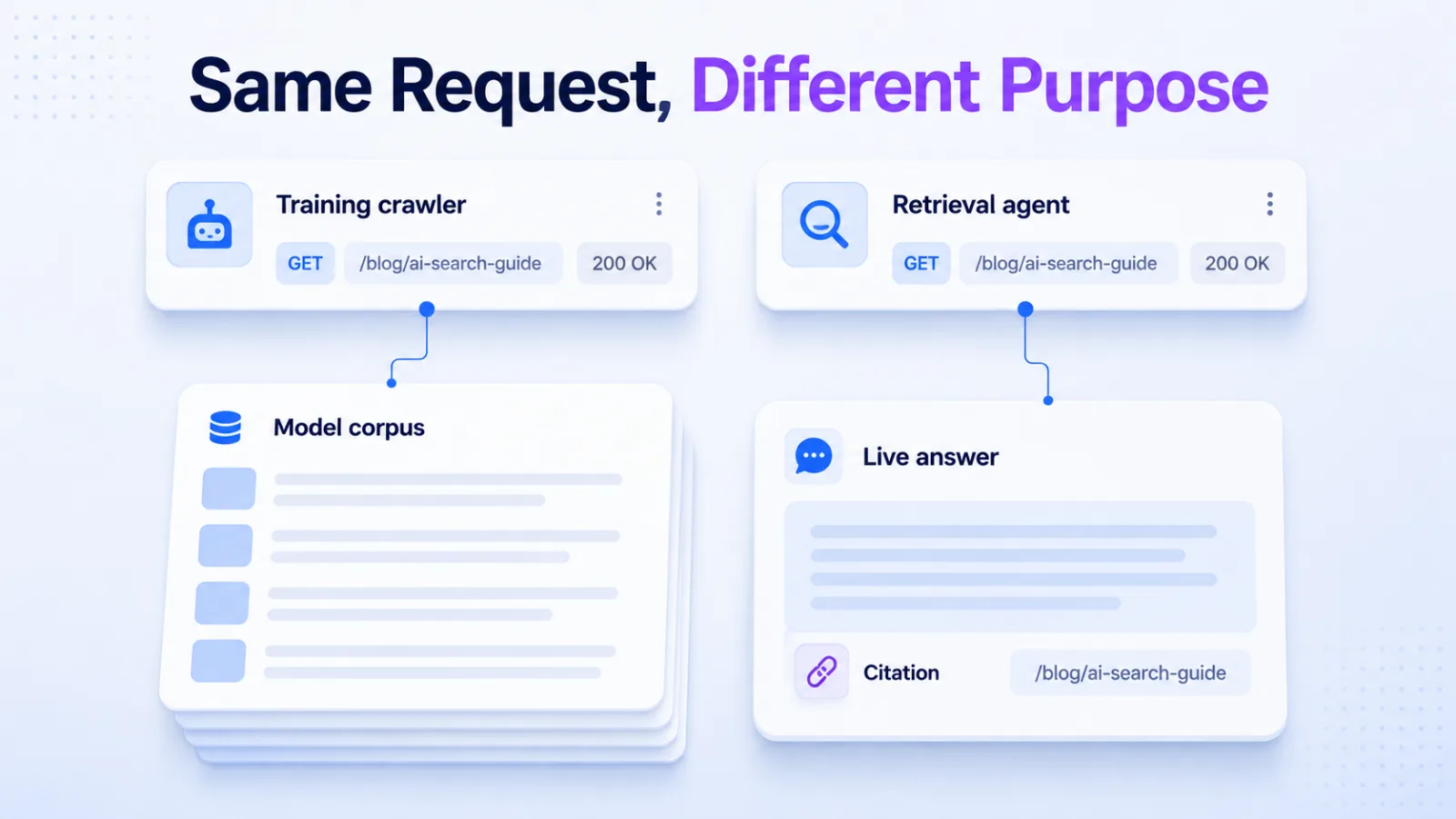
Training crawlers collect text that may influence a model months from now. On this site they took 3,914 page requests.
Retrieval agents fetch a page because a person asked something a minute ago. Those took 3,252.
The remaining requests came from agents whose labels don’t declare a purpose, so we don’t split them.
Why the difference changes what you do
It changes what you do because the two behaviours respond to different work.
Training traffic rewards having text on the open web at all. Retrieval traffic rewards a page that answers one question well enough to survive being quoted out of context.
If your log is heavy on training crawlers and light on retrieval agents, you’re in the corpus and absent from today’s answers. That’s a content structure problem, not a crawling problem. The mechanics behind which pages get pulled are covered in how AI crawlers pick sources.
Retrieval volume also tracks how often your name appears elsewhere, which is the argument behind brand mentions and AI visibility.
The Crawl Is Wide and Shallow
AI agents touched 3,118 URLs on this site, and 2,159 of them were fetched exactly once.
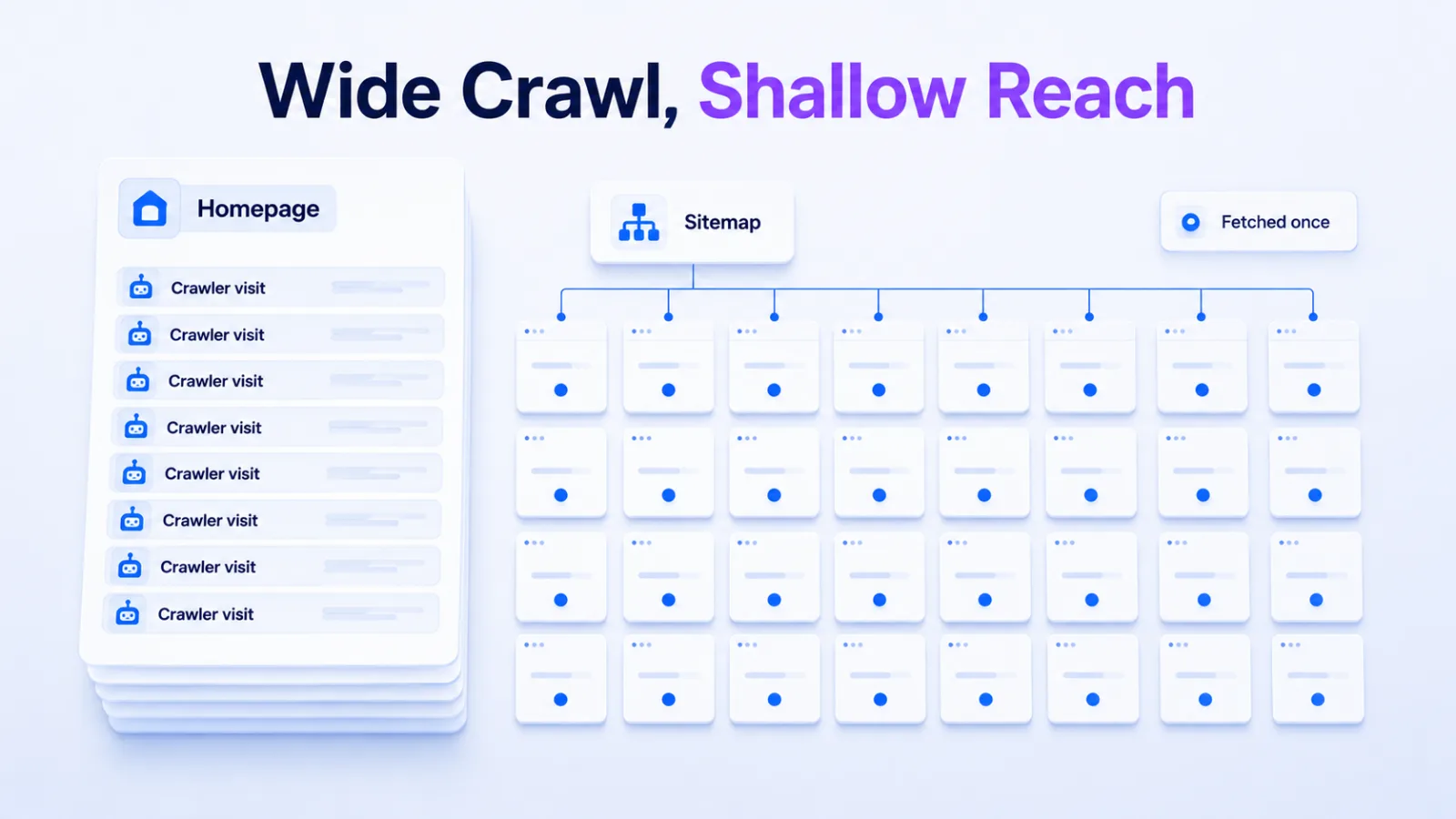
That’s 69% of everything reached, visited a single time in 74 days.
The concentration at the other end is sharper. The homepage took 2,561 requests, or 18% of all AI page traffic. The sitemap index took another 912.
Two URLs, a quarter of the crawl.
The best-performing content URL, an article on Ahrefs brand mentions, took 167. That’s one fifteenth of the homepage.
What that pattern means
It means agents are discovering the site and not going deep into it.
A page fetched once has one chance to be usable. A page never fetched can’t be cited at any price, and no amount of writing fixes it if nothing links there.
This is an internal linking problem before it’s a content problem.
Almost Nobody Fetched llms.txt
Across 74 days and 13,977 page requests, llms.txt and llms_full.txt were fetched 28 times in total.
That’s 0.2% of AI request volume, spread across openai-train, chatgpt-browse and common-crawl.
The file costs an hour to write, so we’re leaving ours up. But a log this quiet is worth knowing about before anyone builds a quarter around the file. What each file can and can’t do is set out in llms.txt vs robots.txt.
One site’s log isn’t a verdict on the standard. It’s one data point, and it’s ours.
How to Read Your Own Log
To read your own log, filter to known AI user agents, then split what’s left by purpose before you count anything.
Filter to the agents that identify themselves
Grep your access log for the strings that name AI systems: GPTBot, OAI-SearchBot, ChatGPT-User, ClaudeBot, Claude-User, PerplexityBot, Perplexity-User, Google-Extended, Amazonbot, meta-externalagent.
User agents can be spoofed, so verify the ones that publish IP ranges before you build reporting on them.
Split training from retrieval
Sort the matches into crawlers that collect text and agents that fetch during a live session. The second group is the one that moves with what you publish this month.
Read the result against a decision
| If your log shows | Then |
|---|---|
| Retrieval agents fetching one page repeatedly | That page is in play for live answers. Make sure it answers standalone. |
| Training crawlers only | You’re in the corpus and not in today’s answers. |
| Crawl concentrated on the homepage | Your internal links aren’t carrying agents any deeper. |
| A commercial page never fetched | Nothing points agents at it. Fix the links before writing more. |
What a Log Can Never Tell You
A log records a fetch, and a fetch is not a citation.
An agent can pull your page and quote a competitor. It can pull three pages and use none of them. The retrieval step and the answer step are separate, and only the first one touches your server.
The second half has to be measured on the answer side, by asking the systems questions and recording who gets named. We set out the method for that in tracking brand mentions in AI search.
Logs also miss the queries. One question rarely becomes one fetch, because these systems split a question into more than one search first, which is query fan-out doing its work.
Search Console shows the other side of that. Over the same 90 days, 707 queries on this site were full natural-language sentences of eight words or more, carrying 6,676 impressions and a single click.
Those aren’t people typing. They’re machines searching, and they’re invisible in a log file.
Neither source tells you why a page got picked over a competitor’s, which comes down to AI citation ranking factors.
Frequently Asked Questions
Do AI crawler hits help my rankings
No. A fetch is a retrieval event, not a ranking signal, and Google’s classic index is crawled by a different agent than the one grounding AI answers.
What crawl data tells you is whether your pages are reachable and worth reaching, which is upstream of both.
Should I block AI crawlers in robots.txt
Block training crawlers if you object to the use, and think hard before blocking retrieval agents.
Blocking retrieval means your pages can’t be fetched when someone asks a question you’d win. That’s a direct cost, paid every day, for a principle that only applies to the other group. There is a third agent worth knowing about if you ever run paid: OAI-AdsBot has to be allowed before ChatGPT ads can serve, because OpenAI crawls the landing page to check it against ad policy.
How much AI crawler traffic is normal
There’s no published benchmark, and anyone quoting one is guessing.
The number that matters is your own trend and your own distribution. We went looking for a comparison figure and found nothing credible, which is why this article reports one site’s log instead of a benchmark.
Why does the homepage get more hits than articles
It gets more because the homepage is the default entry point for anything discovering a domain, and because sitemaps and external links point there first.
A skew this heavy usually means internal linking isn’t carrying agents deeper.
Can I trust the user agent string
Only partly. User agents are self-reported and trivially spoofed, so a string alone proves nothing.
OpenAI, Anthropic and Perplexity publish IP ranges for their crawlers. Verify against those before you report a number to anyone.
Grep One Week of Your Own Log
Pull last week’s access log and count two things: total AI requests, and distinct URLs reached.
If the second number is small, your problem isn’t what you’re publishing. It’s that nothing is carrying agents past your homepage.
That’s a link problem, and it’s fixable in an afternoon. Ours took two.
If you’d rather see the answer side first, our AI visibility checker runs the question half of this without touching a log file.