
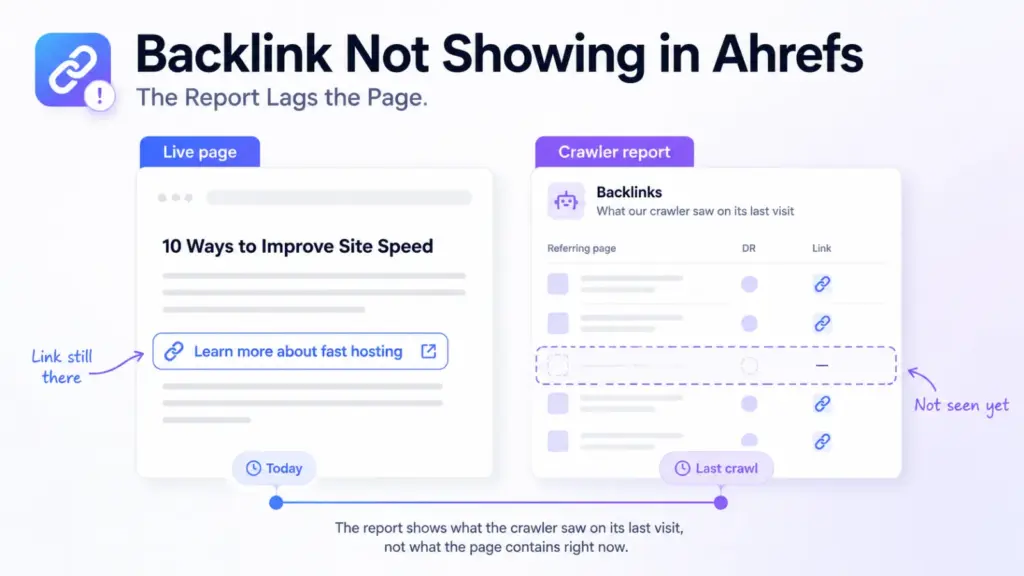

A backlink not showing in Ahrefs is usually still on the page. The tool reports what its crawler found the last time it fetched that page, and the gap between those two things has ordinary causes.
That matters most when you’ve paid for the placement. The instinct is to email the publisher, and it’s the wrong first move.
Check the page yourself first. It takes a minute and it settles the question.
What “Lost” or “Removed” Means Here
Those labels describe the crawler’s experience, not the publisher’s intent.
A link gets marked that way when a later fetch of the page didn’t turn it up where an earlier fetch did. Somebody deleting it produces that result. So do the five other causes below, none of them deliberate.
So read the label as “not seen on the last fetch” rather than “taken down”. The two overlap, and they aren’t the same claim.
The Six Usual Causes
Work down these in order. The first three cover most cases and cost nothing to rule out.
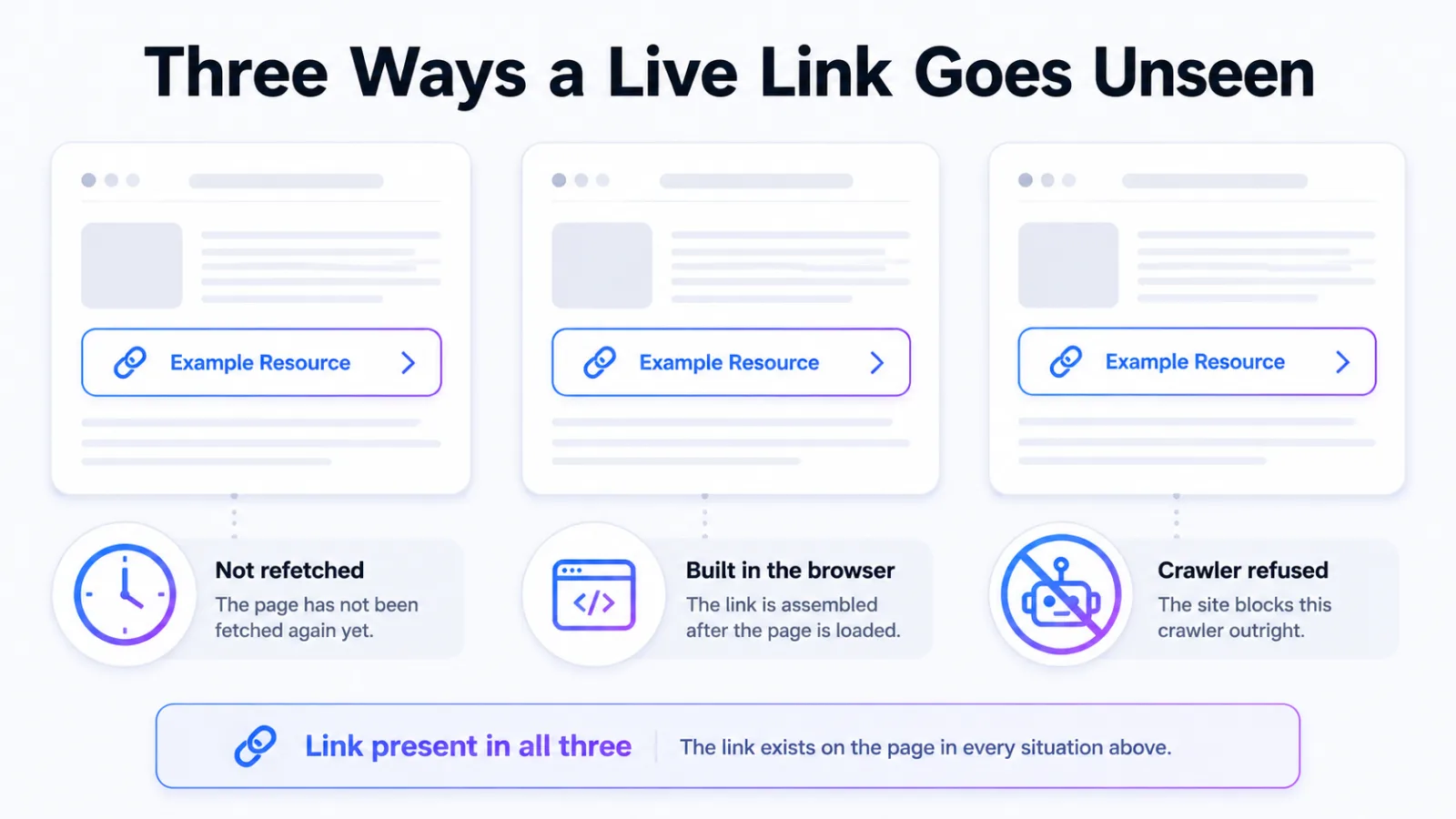
The Page Hasn’t Been Refetched
A new link only appears once the crawler returns to the page carrying it. Fresh placements on quiet pages wait longest, because crawl attention follows how often a page changes.
This is the single most common reason a placement bought this week is invisible this week.
The Link Is Built by JavaScript
If the link isn’t in the HTML the server sends, a crawler reading raw HTML won’t record it. Plenty of modern publishing setups assemble parts of a page in the browser.
You can check this without any tooling. View the page source and search it for your domain, rather than searching the rendered page.
The Site Blocks the Crawler
A publisher can refuse a specific crawler in robots.txt, and links on that site then stay out of that tool’s index. Nothing is wrong with your placement.
The mechanics run both ways, which is the subject of blocking Ahrefs from a site.
A Redirect Sits in the Way
When the link points at a URL that redirects, the credit gets recorded against the address in the markup, not the one you landed on. Look for it under the old URL, the non-www version, or the http one.
You’re Looking at a Filtered View
Backlink reports default to a subset. A live-only filter hides links the tool has stopped seeing, and a domain-level view hides what a page-level view would show.
Check the target you searched too. A link to a subdomain or a tracking URL won’t appear under the bare root domain.
The Page Genuinely Changed
Editors update posts. A refresh can drop a paragraph, a section can get rewritten, and the link goes with it without anyone deciding to remove it.
How to Tell Which One You’re Looking At
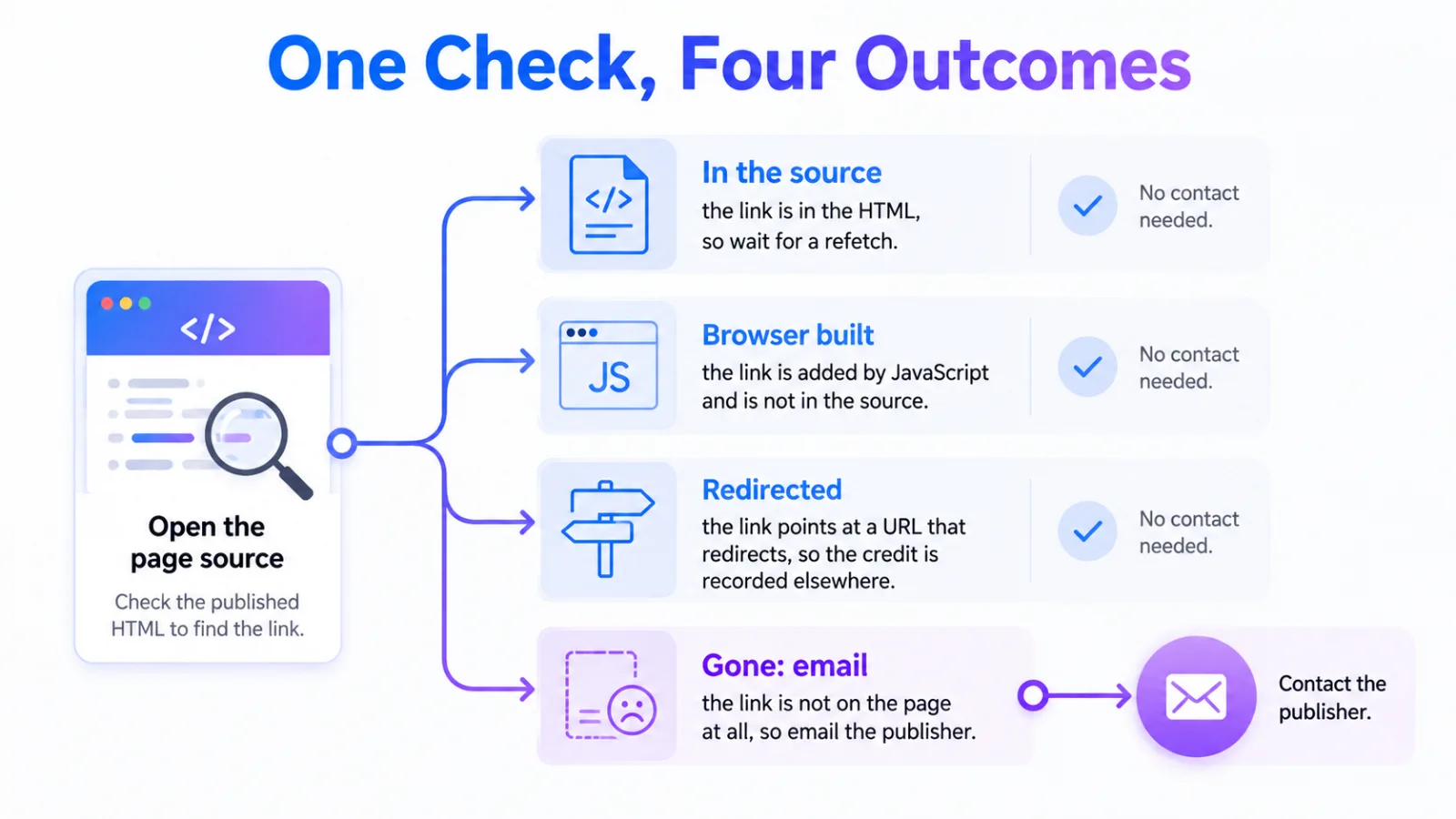
Start with the page, not the tool. Open the live URL and search the source for your domain.
If the link is in the source, the placement is fine and you’re waiting on a crawl or looking at a filter. If it’s in the rendered page but not the source, it’s JavaScript. If it’s in neither, the page changed.
| What you find | What it means | What to do |
|---|---|---|
| In the page source | The placement is live and intact | Wait for a refetch, and widen your filters |
| On screen but not in the source | The link is built in the browser | Ask the publisher for a plain HTML link |
| Points at a redirecting URL | Credit is recorded elsewhere | Search the destination it was written as |
| Nowhere on the page | The page was edited | Now it’s worth an email |
That order matters because three of the four outcomes need no contact with anyone.
When the Link Is Gone for Good
You’ll know because the source has no trace of it and the page has visibly moved on.
Ask once, politely, and reference what the section used to say. Editors who rewrote a post rarely object to restoring a link that fitted it.
If the answer is no, treat it as attrition and price it in. Placements decay, and a programme that assumes otherwise will keep reporting numbers it can’t hold. The same reading applies to unlinked mentions in Ahrefs, where a mention can survive a link that didn’t.
Frequently Asked Questions
How long should a new backlink take to appear?
It depends entirely on how often the host page gets recrawled, which varies with how busy that site is. Give a placement on an active publication a short wait and one on a quiet page considerably longer before treating its absence as a problem.
Does a missing link in one tool mean it doesn’t count?
No. Search engines crawl independently of any backlink tool, so a link absent from one index can be perfectly visible to Google. The tool is a sample of the web, not a register of it.
Do nofollow links show up?
Yes, they’re recorded and labelled rather than hidden. If yours seems to be missing, check whether a filter is set to follow links only before assuming the attribute is the reason.
Should I ask for a refund if the link disappears?
Ask what the agreement says about replacement first, because most reputable sellers replace a lost placement rather than refund it. Confirm the link has gone from the page source before raising it at all.
Why do links from some large sites never appear?
They fall into two groups: sites that block third-party crawlers outright, and sites that build their pages in ways those crawlers read poorly. Neither says anything about whether the link helps you.
Check the Page Before You Chase the Publisher
Open the live URL, search the source for your domain, and only then decide whether anything is wrong. Most of these questions end there.
If you’re buying placements at any volume, build that check into the handover rather than the escalation. Our niche edit link insertion services comparison covers who verifies placements properly, and niche edits for AI search covers what those placements do beyond the link.