
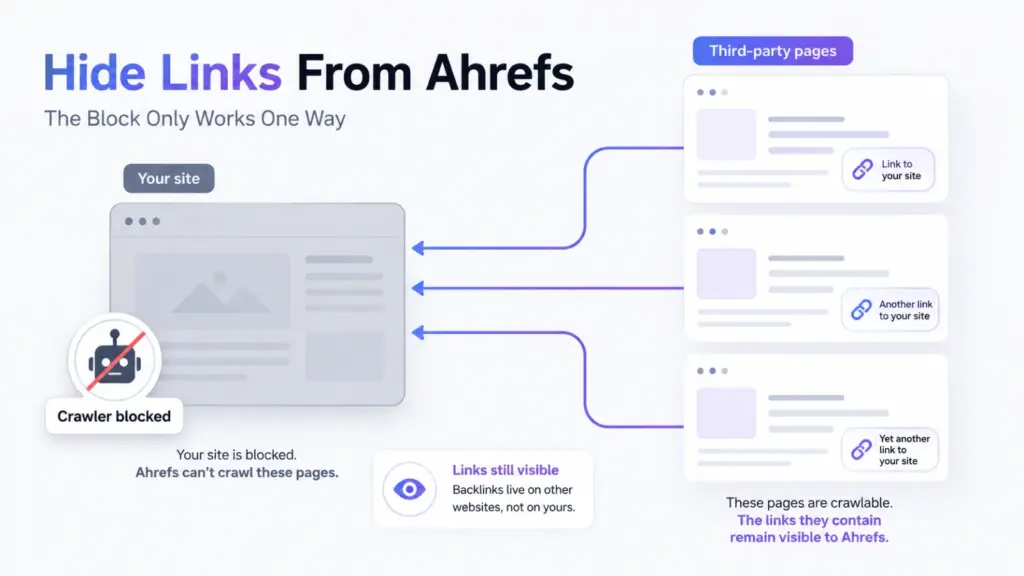

You cannot hide a backlink from Ahrefs, because the link does not live on your site. It lives on someone else’s page, and Ahrefs crawls that page, not yours.
Blocking AhrefsBot in your own robots.txt stops the crawler reading your pages. Every link pointing at you from a site you do not control stays exactly where it was.
That distinction decides whether blocking is worth doing at all.
What Blocking AhrefsBot Removes
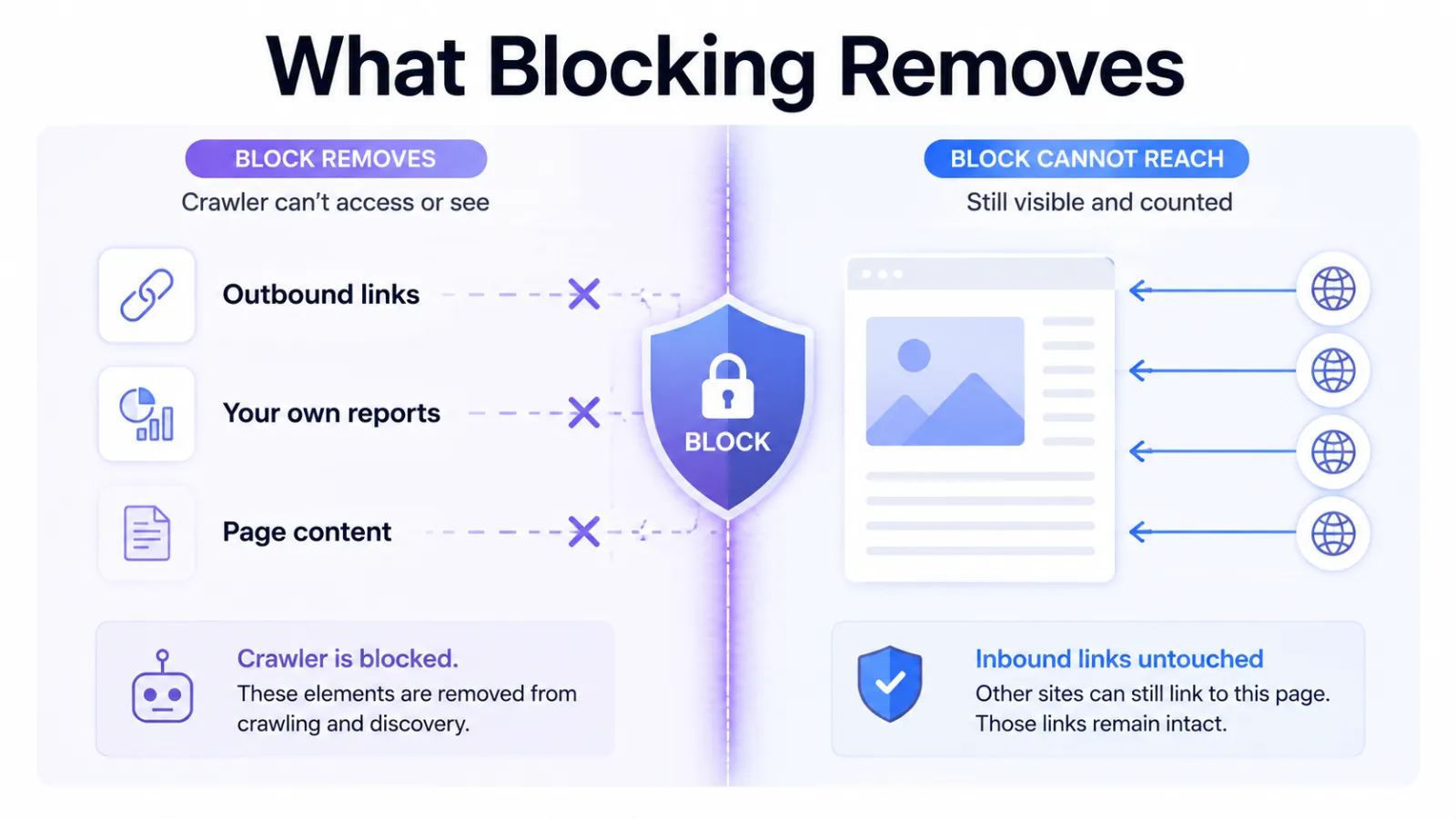
Adding AhrefsBot to robots.txt stops one crawler fetching your pages. Three things follow.
- Your outbound links stop being catalogued. Anyone studying which sites you link to loses their source.
- Your page content stops being read by that crawler. Competitors can’t pull your headings, word counts or internal link structure from the tool.
- Your index data goes stale too. Ahrefs’ index view of your own pages stops updating, though Site Audit keeps working because it uses a separate crawler.
None of those touch the backlinks pointing at you.
Why Your Backlinks Stay Visible
It happens because of where the data is discovered. A backlink is a fact about a third-party page, and Ahrefs learns it by crawling that page.
If a marketing blog links to you, Ahrefs reads the blog. Your robots.txt has no authority over that blog, so the link is recorded whatever you do.
That link only leaves the index if the blog removes it, blocks the crawler itself, or goes offline. All three sit with the publisher.
The same mechanic drives unlinked mentions in Ahrefs. The tool reports what it found on other people’s pages, and your settings do not filter that report.
What Blocking Costs You
The block runs in both directions, and that’s the part people underestimate.
| What you lose | Effect |
|---|---|
| Your pages in Ahrefs’ index | Outbound links and page data stop updating; Site Audit keeps working on its own crawler |
| Agency and client reporting | Anyone auditing you sees a blank profile and reads it as a red flag |
| Prospect research on you | Buyers checking your authority find nothing |
That last row matters if you sell anything. A buyer running competitor analysis on your domain reads an empty profile as a weak one.
When Blocking AhrefsBot Makes Sense
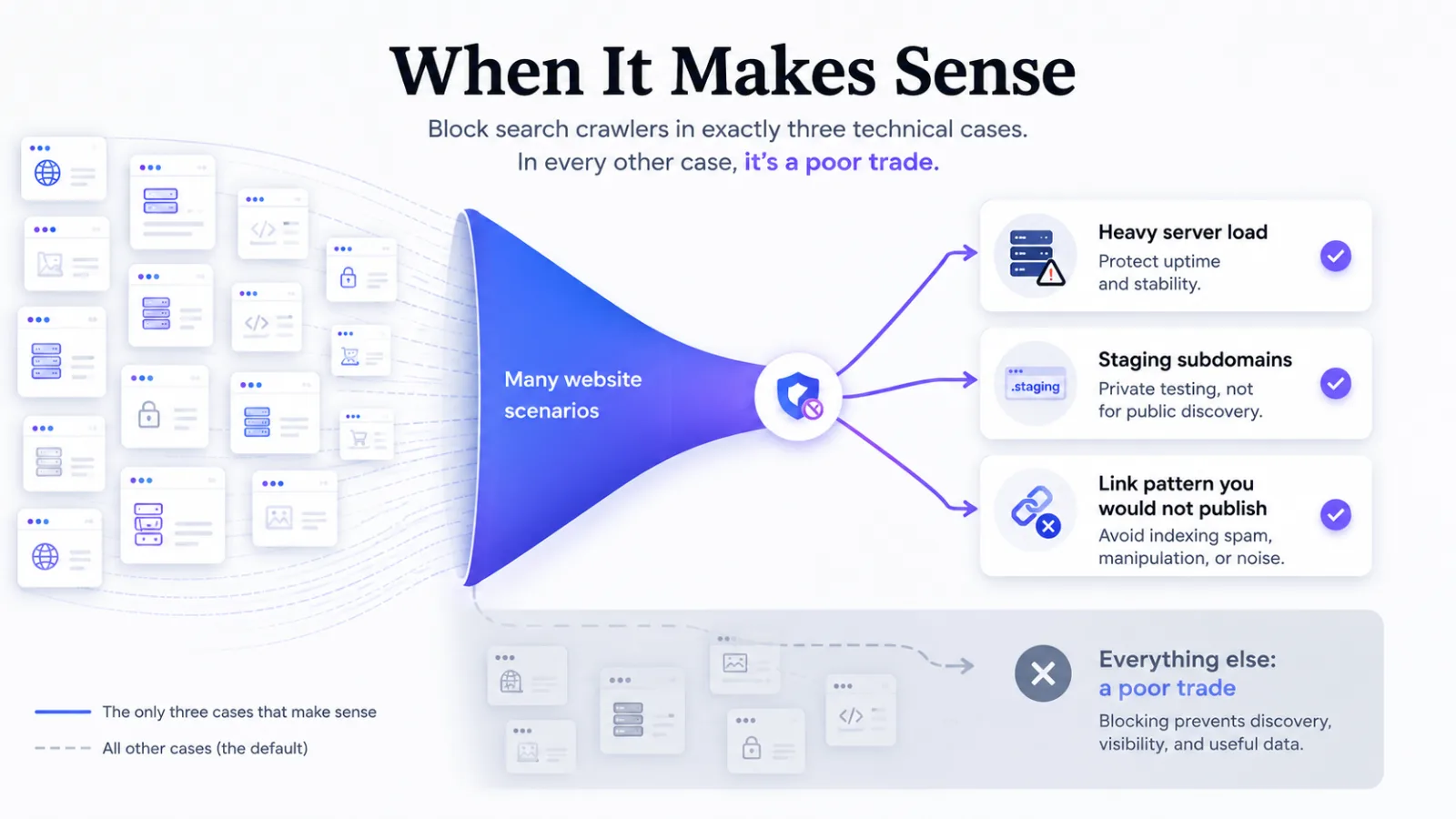
You should consider it in three cases, and they’re narrower than the search volume suggests.
- Crawl budget on a large site. If third-party bots measurably load your servers, blocking the heaviest is an infrastructure decision rather than an SEO one.
- Private or staging subdomains. Blocking there costs nothing, because you were never reporting on them.
- A site built on a link pattern you would rather not publish. That’s worth reading as a signal about the pattern, not about the crawler.
Outside those three, the trade is poor. You blind yourself to protect information competitors can reconstruct from the other end.
What To Do Instead
Build links that survive being seen.
A backlink profile is only worth hiding if copying it would work. Placements earned through relationships, original data or genuine editorial interest can’t be replicated by reading a list of domains.
A competitor who sees a link on an industry publication still needs the relationship, the angle and the reason that publication said yes. That’s the difference between a profile you protect and one you’re happy to publish.
If the profile you have is one you would rather nobody inspected, the fix is the profile. Contextual link building is one route to placements that hold up under inspection.
Frequently Asked Questions
Does blocking AhrefsBot hurt my Google rankings
No. AhrefsBot isn’t Googlebot, and blocking one has no effect on the other. Your rankings depend on what Google crawls, and Google ignores robots.txt rules written for third-party bots.
Can I block Ahrefs and keep my own reports
Partly. Site Audit runs on a separate crawler, AhrefsSiteAudit, so blocking AhrefsBot doesn’t stop it; what goes stale is Ahrefs’ index view of your own pages. Ahrefs offers verified site-owner access for your own analytics, which is a separate mechanism from the public index.
Will blocking remove links already in the index
Existing backlink records stay. They were collected from other domains, so a change on your side does not retract them.
Do competitors see my links another way
Yes. Other crawlers index the same third-party pages, so blocking one tool moves the data rather than removing it.
Is hiding a backlink profile against Google guidelines
Blocking a third-party crawler isn’t a Google guidelines matter, because it does not change what Google sees. Cloaking rules cover showing Googlebot different content, which is a different act.
The Decision in One Line
Block AhrefsBot when server load is the problem, and never as a way to conceal a backlink profile, because it doesn’t conceal it.