
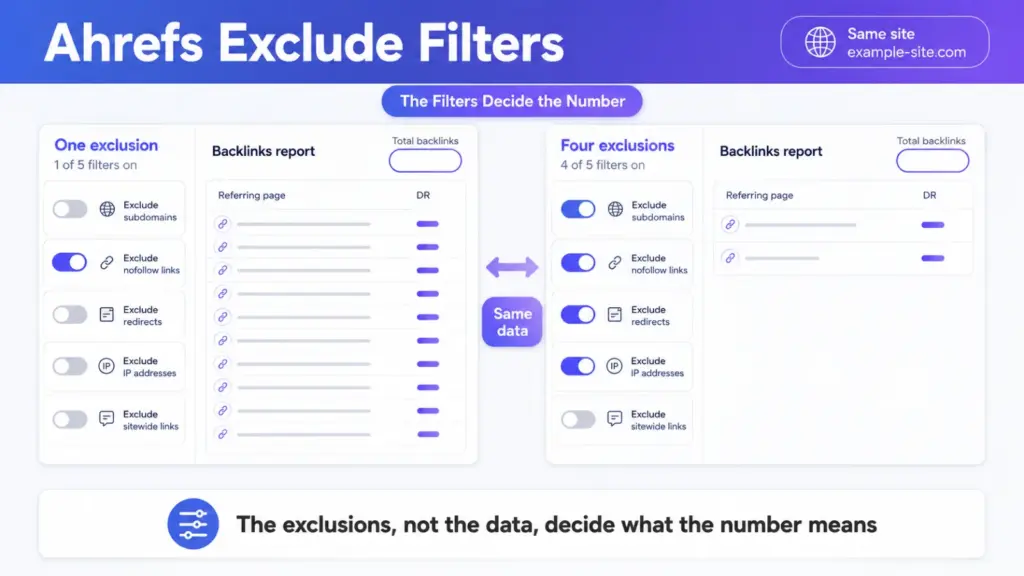

An Ahrefs exclude filter doesn’t shrink your data. It changes what the number means.
Two people can run the same report on the same domain and read opposite conclusions. One of them left their own site in the count and the other didn’t.
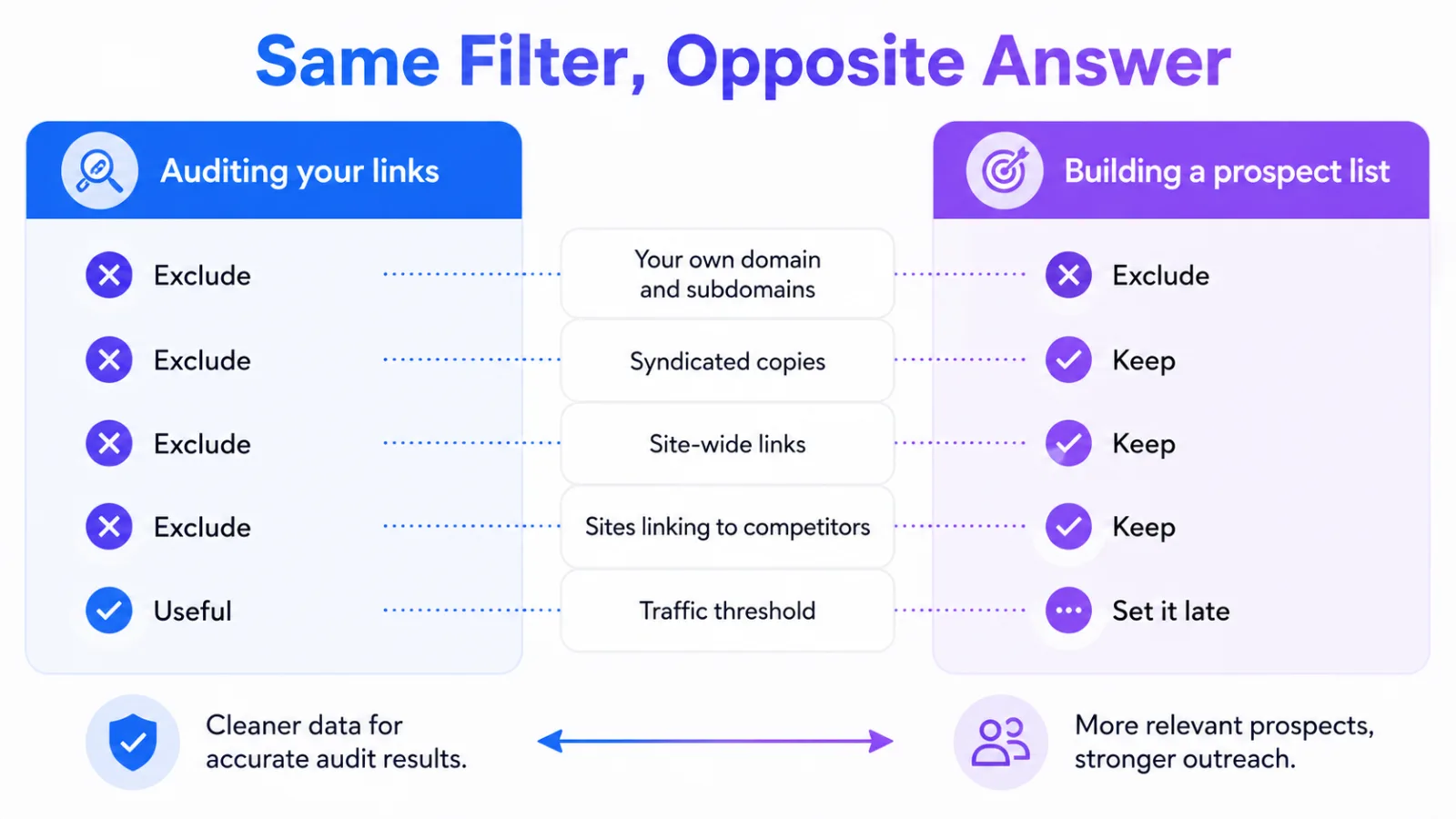
The exclusions worth setting depend on which question you’re asking. Auditing your own profile and building a prospect list want almost opposite settings.
Start by Excluding Yourself
Your own domain is the one exclusion that applies to every report you’ll run.
Search your brand without it and your own pages dominate the results, because you mention yourself more than anyone does. The count looks healthy and tells you nothing.
Subdomains count as yourself too. A help centre, a careers site and a status page all carry your brand name, and none of them is a third party talking about you.
What to Exclude When Auditing Your Own Links
You’re asking a narrow question here: which links are doing work. So the exclusions are aggressive.
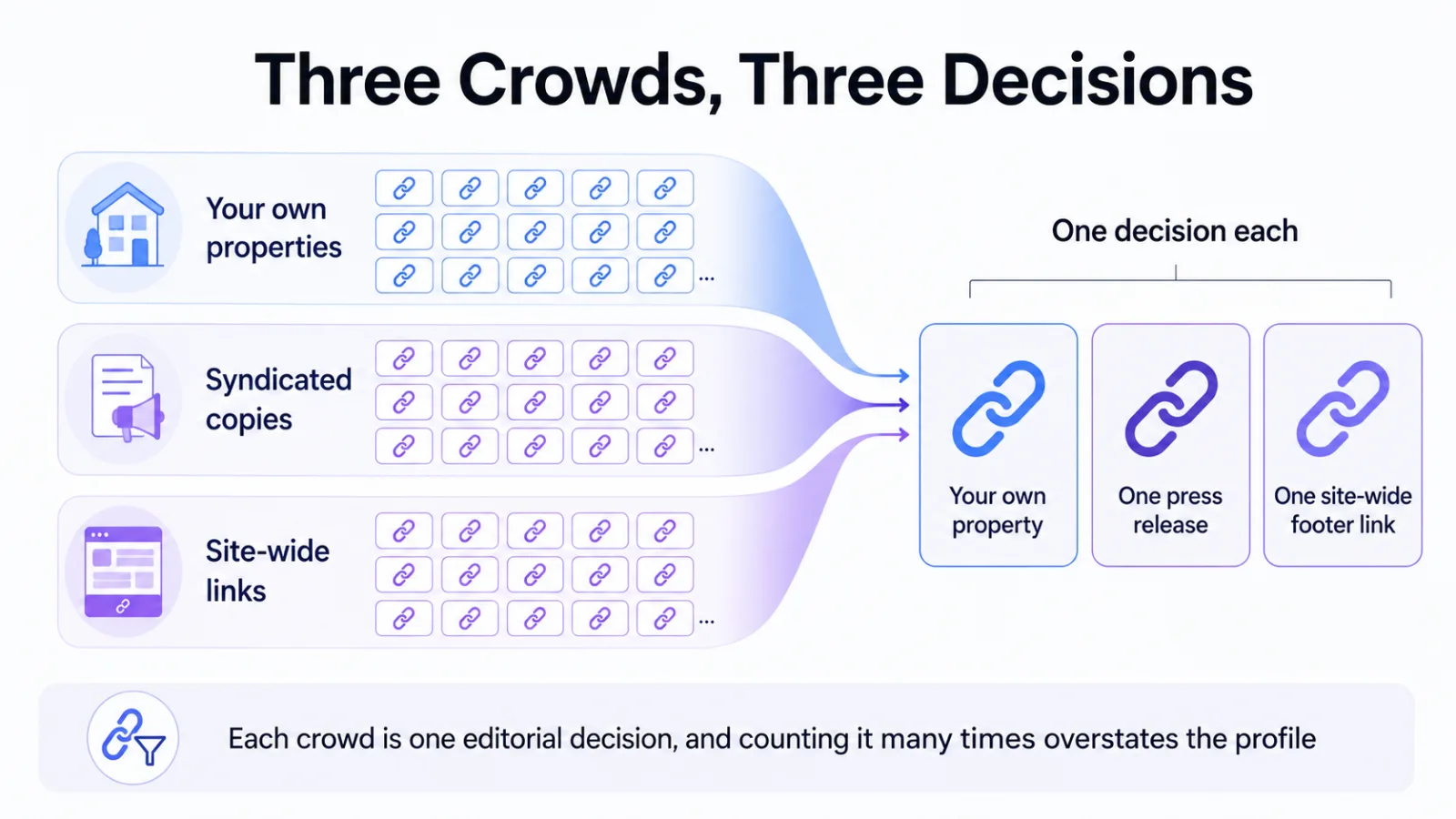
Your Own Properties
Anything you control is a link you gave yourself. Partner microsites and regional domains belong in this group even when the branding differs.
Syndication Copies
One press release republished across a network appears once per outlet that carried it. It’s one placement, and counting it per outlet is how a profile looks stronger than it is.
Site-Wide Placements
Footer, sidebar and blogroll links repeat across every page of a site. They’re one editorial decision, not thousands.
What to Keep When Prospecting
Building an outreach list reverses the logic. The things you’d exclude from an audit are often the signal you want.
A site that already links to three of your competitors is noise in an audit and a strong prospect in a list. Excluding low-authority domains too early cuts exactly the small, reachable publications that reply.
Keep the filter loose, then read the list and cut by hand. An exclusion applied before you’ve looked at the data is a guess.
That reading step is where a prospect list gets made, and it’s the part link building outreach lives or dies on.
The Exclusion That Hides Your Best Opportunities
It’s the traffic threshold, and it’s the most common one people set too high.
Filtering out pages below some organic traffic floor feels like quality control. It removes new pages that haven’t ranked yet, and niche publications with small but exact audiences. It also removes anything on a site that ranks poorly while your buyers still read it.
Run the report twice. Once with the threshold and once without, and look at the gap rather than at either number on its own.
| Exclusion | Auditing your links | Building a prospect list |
|---|---|---|
| Your own domain and subdomains | Always | Always |
| Syndicated copies | Exclude | Keep, they show who republishes |
| Site-wide links | Exclude | Keep, they show who links out |
| Sites linking to competitors | Exclude | Keep, this is the list |
| Traffic threshold | Useful | Set it late, or not at all |
How to Tell an Exclusion Is Lying to You
You watch the count, not the list. Apply one exclusion at a time and note what each removes.
Stacking four at once and getting an empty result tells you nothing about which one emptied it. That’s the single habit that turns a filter into a dead end.
If a report comes back suspiciously clean, the exclusions are doing the work rather than the data. The same discipline applies when a backlink isn’t showing in Ahrefs, where a filter is a common culprit.
Frequently Asked Questions
Should I exclude nofollow links from a backlink audit?
Not by default. Nofollow links still carry referral traffic and still put your brand in front of readers, so excluding them narrows the audit to one kind of value. Exclude them only when the specific question is about link equity.
Does excluding my own domain change my metrics?
It changes what you’re counting, not your actual profile. Nothing about the site moves, and the report simply stops crediting you for talking about yourself.
Why does my list come back empty after filtering?
Because the exclusions compound, and each one narrows what the previous one left. Remove them all, then reapply one at a time until the list collapses, and the last one you added is the culprit.
Should agencies and in-house teams filter differently?
Yes, and mostly because the reporting audience differs. An in-house team can afford a loose list they read by hand, while an agency sending a client report needs exclusions it can explain in a sentence.
Is there a filter setting that works for everything?
No, and looking for one is the mistake. Exclude your own properties always, and decide everything else from the question you’re answering that day.
Run It Twice Before You Trust It
Take whichever report you rely on most and run it once with your exclusions and once with only your own domain removed. The difference between the two counts is what your filters have been deciding for you.
Most teams find the gap is larger than they expected, and in the direction that flattered them. If you’d rather hand that judgement to somebody who does it daily, our niche edit link insertion services comparison is a place to start.