
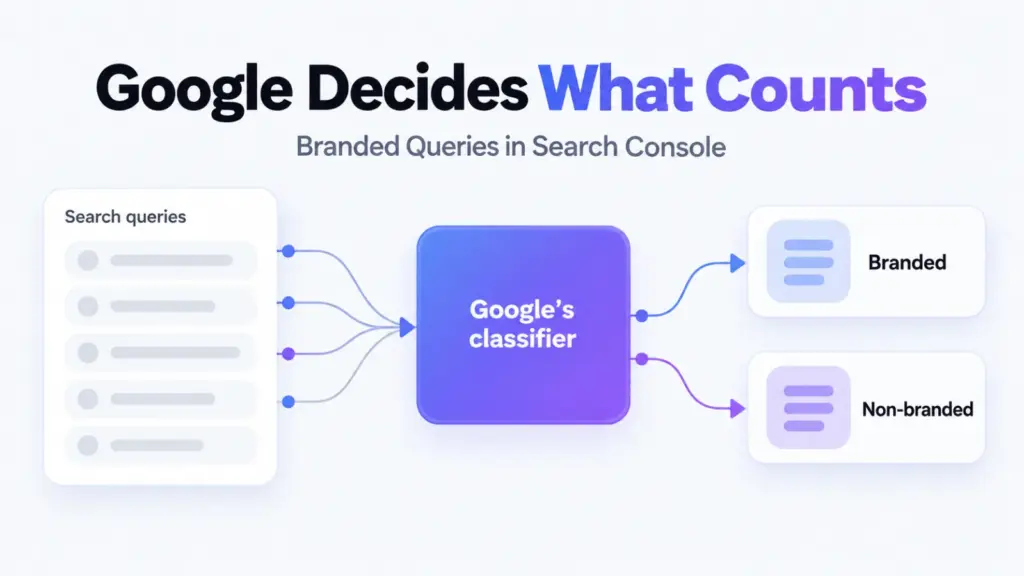

Search Console’s branded queries filter splits your search traffic into queries about your brand and everything else. It sits in the Performance report’s query filter, and Google decides which is which.
That last part is the whole story. It’s the right question answered by a classifier you can’t see into or correct, and it isn’t available to every site.
Here’s what it counts, where it falls short, and when a list you build yourself still does a better job.
What Google Counts as Branded
Google announced the filter in November 2025 and opened it to all eligible sites in March 2026. Classification runs on what it calls an internal AI-assisted system.
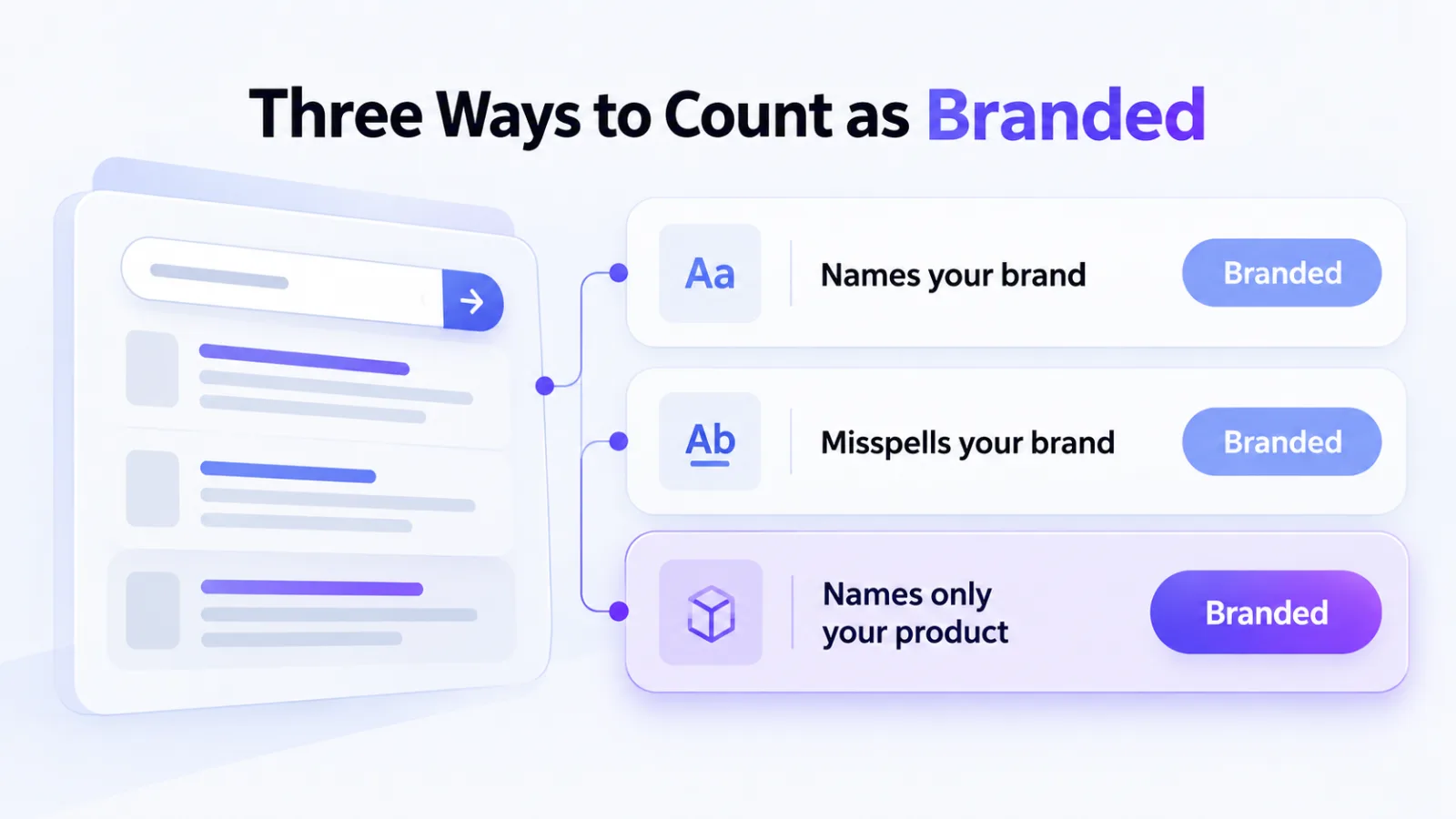
- Your name: in any language the query uses.
- Misspellings: typos and variants of that name.
- Your products: including queries that never mention you at all.
That third line is the one to notice. A query for a product or service unique to your site counts as branded even when your company name isn’t in it.
Apply the filter and impressions, clicks, click-through rate and average position all narrow to the group you chose. It works across web, image, video and news results, and the Insights report shows the same split as a summary.
How It Differs From the Ahrefs Tag
This is the design choice that makes the filter worth using. Google classifies queries about your brand. Ahrefs’ Branded tag classifies queries about any brand at all.
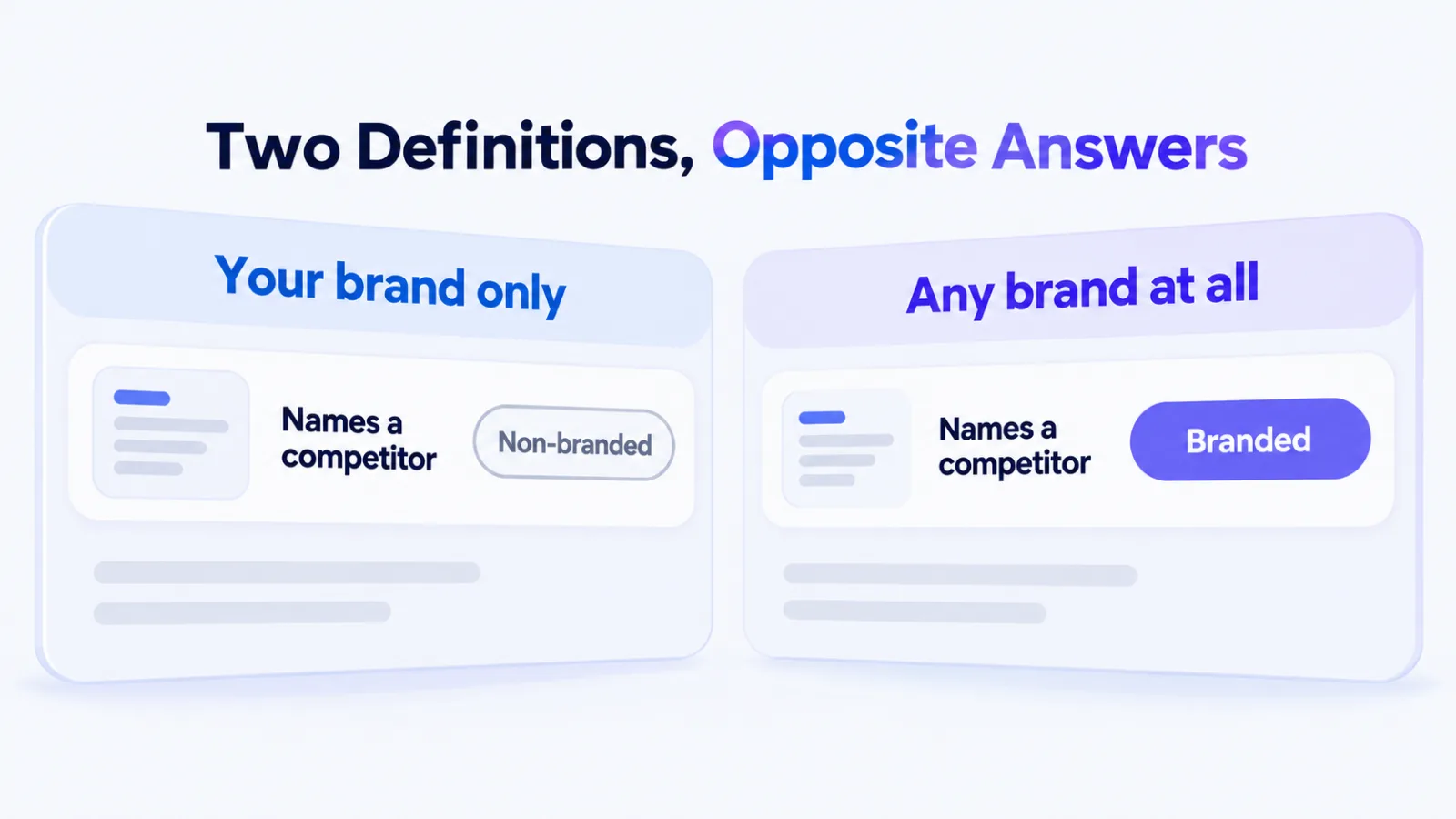
Take a query that names a competitor. Search Console puts it in non-branded, because it isn’t about you. The Ahrefs tag puts it in branded, because it names somebody.
For the question most SEOs are asking, how much traffic doesn’t depend on people already knowing us, Google’s version gives the answer directly. We’ve set out the Ahrefs side in Ahrefs non-branded keywords.
Why the difference exists
It exists because the two tools are built for different jobs. Search Console only ever reports on your own site, so it can afford to know what your brand is.
Ahrefs reports on every site at once, including your competitors’. A tag that meant “this site’s brand” would need a different answer for every domain you looked at.
What You Can’t Do With It
You can’t add a query, remove one, or suggest a variant. John Mueller confirmed all three in March 2026, and said he wasn’t aware of any plans for customisation.
His one exception was a joke: owners can’t adjust it “unless you count building up a new recognized brand”. It’s also a useful hint. The classifier leans on Google recognising what your brand is.
The product-name problem
Queries naming a unique product count as branded. That’s sensible when your product has a distinctive name, and less so when it doesn’t.
If your products carry generic names, the classifier is deciding which of those searches are about you. It may be right. You’ve no way to check which way it went.
When your brand is also a phrase
You should treat this as the hardest case. When a brand name doubles as an ordinary phrase, someone typing it may be looking for you, or for the thing the words describe.
Google doesn’t publish how it resolves that. So if your name is also a description, read the branded share as Google’s estimate rather than a measurement, and check it against queries you know are yours.
Who Doesn’t Get the Filter
Two kinds of property go without it.
- Sub-properties: a folder property such as a blog section doesn’t qualify.
- Low-traffic sites: below an unpublished impression threshold, it doesn’t appear.
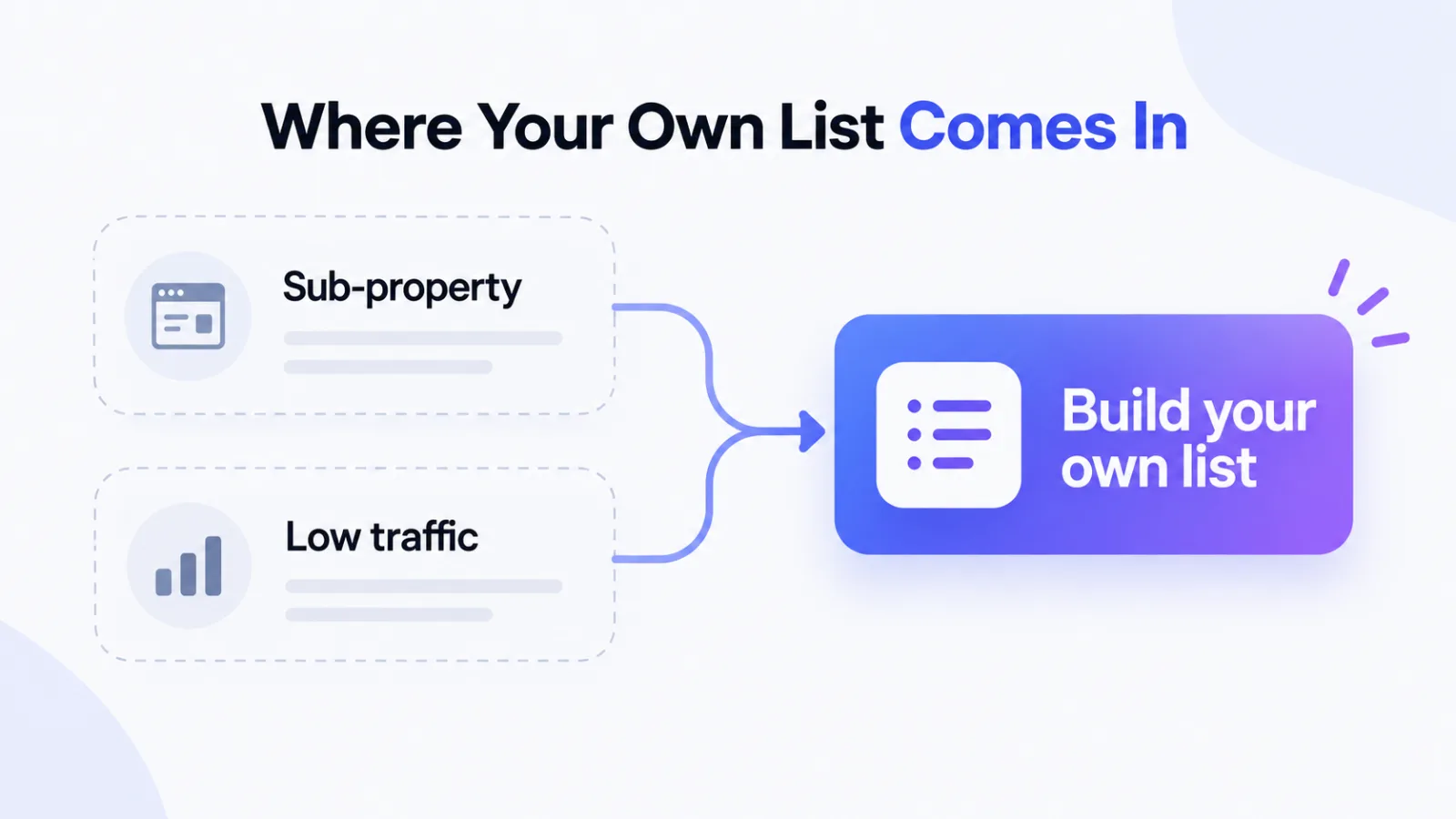
The sub-property rule is the easier one to miss. Plenty of teams track a blog or a regional folder as its own property, and none of those qualify.
If you don’t see the filter, check the property type before assuming your traffic is too low. A domain property covering the same site may have it.
Watch the Historical Cutoff
The classification doesn’t reach back forever. Mueller put it plainly: there’s a point where the data starts being tracked, visible if you look far enough back.
So a branded trend that crosses that point compares classified data with unclassified data. Year-on-year comparisons are the likeliest casualty, and the break won’t announce itself in the chart.
Find where classification begins before you report a branded trend over any long window.
Test the Classifier on Your Own Brand
Ten minutes tells you whether to trust it. Where you have the filter, run these three checks once.
- Branded view: scan for generic queries that aren’t about you.
- Non-branded view: search it for your name and your product names.
- Your own list: compare its totals with the filter’s.
A small gap between your list and the filter means the classifier sees your brand the way you do. A large one is worth reading query by query, because it’s usually concentrated in a handful of product or phrase queries.
What a misclassification costs you
A generic query counted as branded makes your non-branded share look smaller than it is. A branded query counted as non-branded does the reverse.
Either way the error sits inside a number you’ll report upward. Knowing which direction it runs matters more than its size.
When Your Own List Works Better
You should keep the filter as your default. Three situations still call for building the list yourself.
- No filter: sub-properties and low-traffic sites have nothing else to use.
- Visibility: you need to see exactly which queries were classified, and why.
- Consistency: you’re comparing against a tool that uses your own terms.
For those, the older method still works. Add a query filter, choose “Queries not containing”, and list your name, its misspellings and your product names. The custom regex option handles every variant in one pattern.
What the Split Tells You
Branded traffic mostly measures demand created somewhere else: advertising, press, word of mouth, a sales team. Non-branded traffic is what your search visibility earned from people who hadn’t heard of you yet.
A rising non-branded share means search is reaching new people. A falling one can hide behind a healthy total, which is why the split matters more than the headline number.
We’ve looked at other ways Search Console’s totals mislead, including impressions that never produce clicks.
Frequently Asked Questions
Where is the branded queries filter in Search Console
You can find it in the Performance report, under the query filter. The Insights report also shows a branded and non-branded split as a summary.
How does Search Console decide a query is branded
You don’t get to see the rules. Google uses an internal AI-assisted system that counts your brand name in any language, misspellings of it, and queries about products unique to your site.
Can I add or correct branded queries
No. John Mueller confirmed in March 2026 that owners can’t add, adjust or suggest branded queries, and that he wasn’t aware of plans for customisation.
Why don’t I see the branded queries filter
It isn’t available for sub-properties, such as a folder tracked as its own property, or for sites with a low number of impressions. Google hasn’t published the threshold.
Does the filter apply to historical data
Only from the point where classification began. Trends that reach back past that point compare classified and unclassified data, so check where tracking starts first.
Is the Search Console filter the same as the Ahrefs branded tag
No. Search Console classifies queries about your brand, while the Ahrefs tag flags queries about any brand, including competitors. They answer different questions.
Trust It, Then Test It
Use the filter as your default for the branded split. It answers the right question, which is more than most tools manage.
Then run your own list against it once. If the two agree, you can stop worrying about the classifier. If they don’t, you’ve found the queries worth reading.