
If Meta AI is already describing your brand inside Facebook, Instagram, WhatsApp, and Messenger, you need a repeatable way to check what it says. Meta AI brand tracking is a recurring process for testing a fixed set of prompts across Meta’s surfaces and recording whether your brand appears, where it ranks, which competitors show up, what sources get cited, and whether the details are accurate. The point is not a single snapshot.
It’s a workflow you run on a schedule, so a week-over-week shift shows up as a trend line instead of a surprise. This guide walks the full setup: what to prepare, what to measure, how to log it, and how to turn the log into action.
Prerequisites Before You Start
Before your first audit, prepare five things so the process produces clean, comparable data instead of noisy one-off checks. Skip the prep and every run measures something slightly different, which makes trends meaningless.
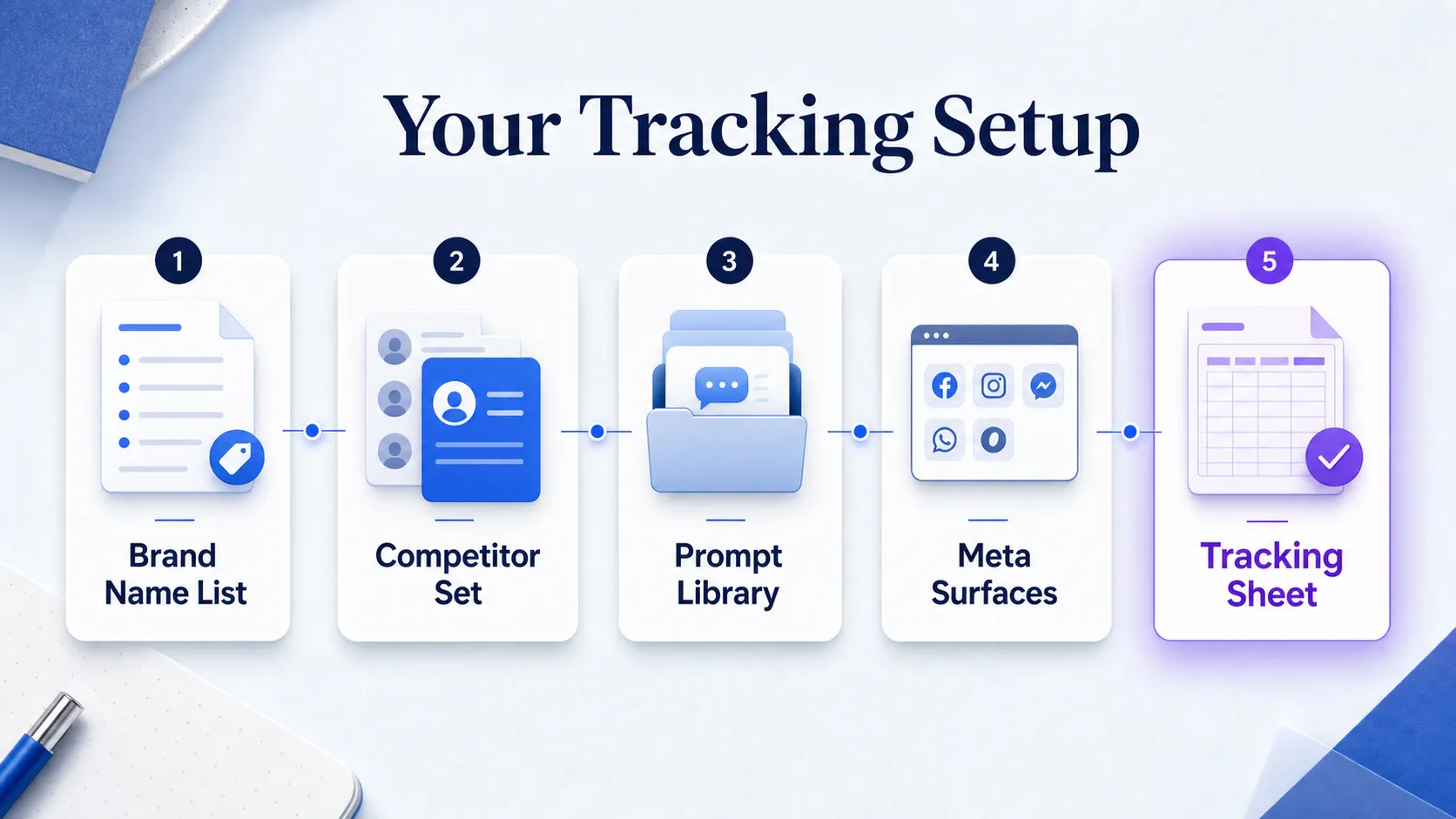
Build a target entity list first. Write the exact brand name, product names, common abbreviations, and the misspellings people actually type. Meta AI needs to recognize the brand as one thing, and the biggest early failure in real audits is entity confusion, especially when the brand name overlaps with a person, a product category, or an acronym.
Define a fixed competitor set next. Pick the same three to six rivals you will compare on every run. If the competitor list drifts, your share-of-voice numbers drift with it.
Choose which Meta AI surfaces you will test: Facebook, Instagram, WhatsApp, and Messenger. Answers can differ by app, so decide upfront which ones matter to your buyers.
Set up your spreadsheet or dashboard before the first audit, not after. Every response gets logged in the same format from run one, or you lose the earliest baseline.
Lock region, language, device, and prompt wording rules before you begin. Inconsistent inputs distort results faster than anything else. A prompt tested on a US English mobile session is not comparable to the same prompt on a different region setting.
Define What You Want to Track
Turn the vague idea of “brand visibility” into measurable fields your team can review every week. “Is my brand visible in Meta AI?” is not answerable. “Does my brand appear, in what position, with what framing, on which surface?” is.
Six tracking objects cover almost every real question. The table below defines each one, what to record, and why it matters.
| What to track | What to record | Why it matters |
|---|---|---|
| Mention presence | Yes or no: did the brand appear at all | The baseline signal. No mention means zero visibility for that prompt. |
| Recommendation position | Where the brand sat: first, buried, or last | Being named tenth reads very differently from being named first. |
| Competitor presence | Which rivals appeared and where | Shows who Meta AI recommends over you on the same prompt. |
| Cited sources | Domains, links, or source patterns in the answer | Reveals which sites seem to influence how Meta AI describes the category. |
| Sentiment | Positive, neutral, or negative framing | A mention wrapped in a caveat can hurt more than help. |
| Factual accuracy | Correct or wrong on key brand details | Meta AI repeating a stale or wrong claim is a visibility problem you can fix. |
Teams usually start with mention tracking only, then realize that recommendation order and answer framing are what actually change buyer perception. Separate visibility from framing from the start. One field says whether the brand appeared; another says how it was described. Add source attribution as its own field too, because the domains Meta AI leans on tell you where to focus outreach. If you want the wider view of how these signals connect to pipeline, our breakdown of brand tracking metrics that predict pipeline lays out which numbers actually move revenue.
Build a Balanced Meta AI Prompt Set
A fixed prompt library is the backbone of reliable tracking. Random prompts each run give you random results. Build the set once, freeze the wording, and reuse it every time so later changes reflect the model, not your query.
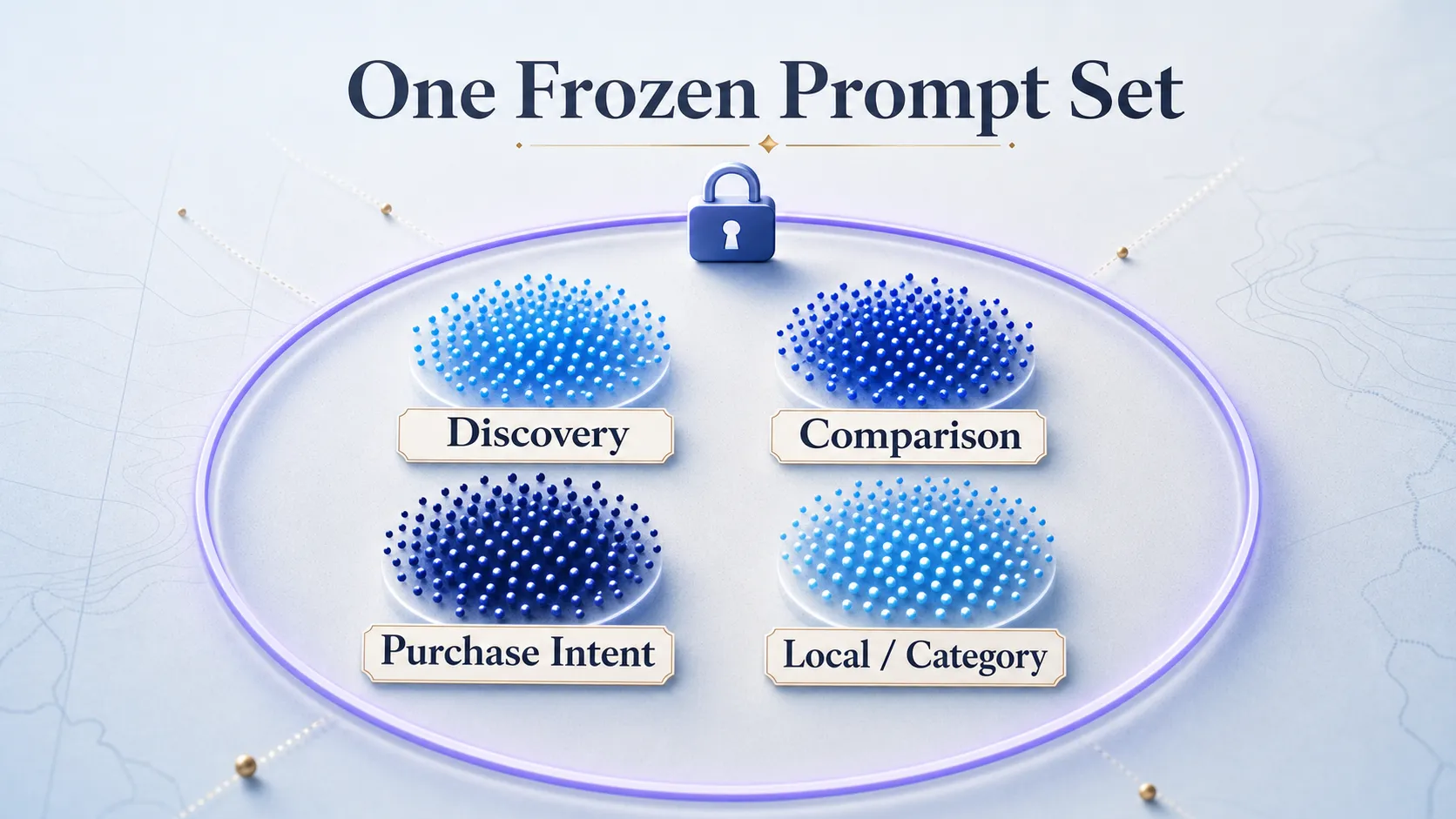
Split your prompts into four buckets so the results reflect real user behavior.
Step 1: Write Discovery Prompts
Discovery prompts ask about your brand directly, like “What is [brand]?” or “Tell me about [brand].” These show how Meta AI frames you when someone already knows the name. Weak or wrong answers here are the fastest to fix and the most damaging if left alone.
Step 2: Write Comparison Prompts
Comparison prompts pit you against named rivals: “[brand] vs [competitor]” or “Is [brand] better than [competitor]?” These surface how Meta AI ranks you head to head and which differentiators it repeats.
Step 3: Write Purchase-Intent and Category Prompts
Category prompts test whether Meta AI recommends you without being told your name: “best CRM for startups,best brand tracking tool,top options for [use case].” This is where challenger brands most often lose, because Meta AI tends to name mainstream players first. If you never appear on category prompts, that gap is your priority, not your branded answers.
Step 4: Add Local and Regional Prompts
If your brand serves specific cities, regions, or countries, add local prompts like “best [service] in [city].” Meta AI can surface different answers by geography, so a brand invisible nationally may still lead locally, or the reverse. Keep the wording frozen after this first build. Prompt rewrites are one of the fastest ways to invalidate trend data.
Run the Checks and Record the Outputs
Now run each prompt on every selected Meta surface, using the same wording and the same recording rules every time. This is the manual audit, and consistency is the whole game.
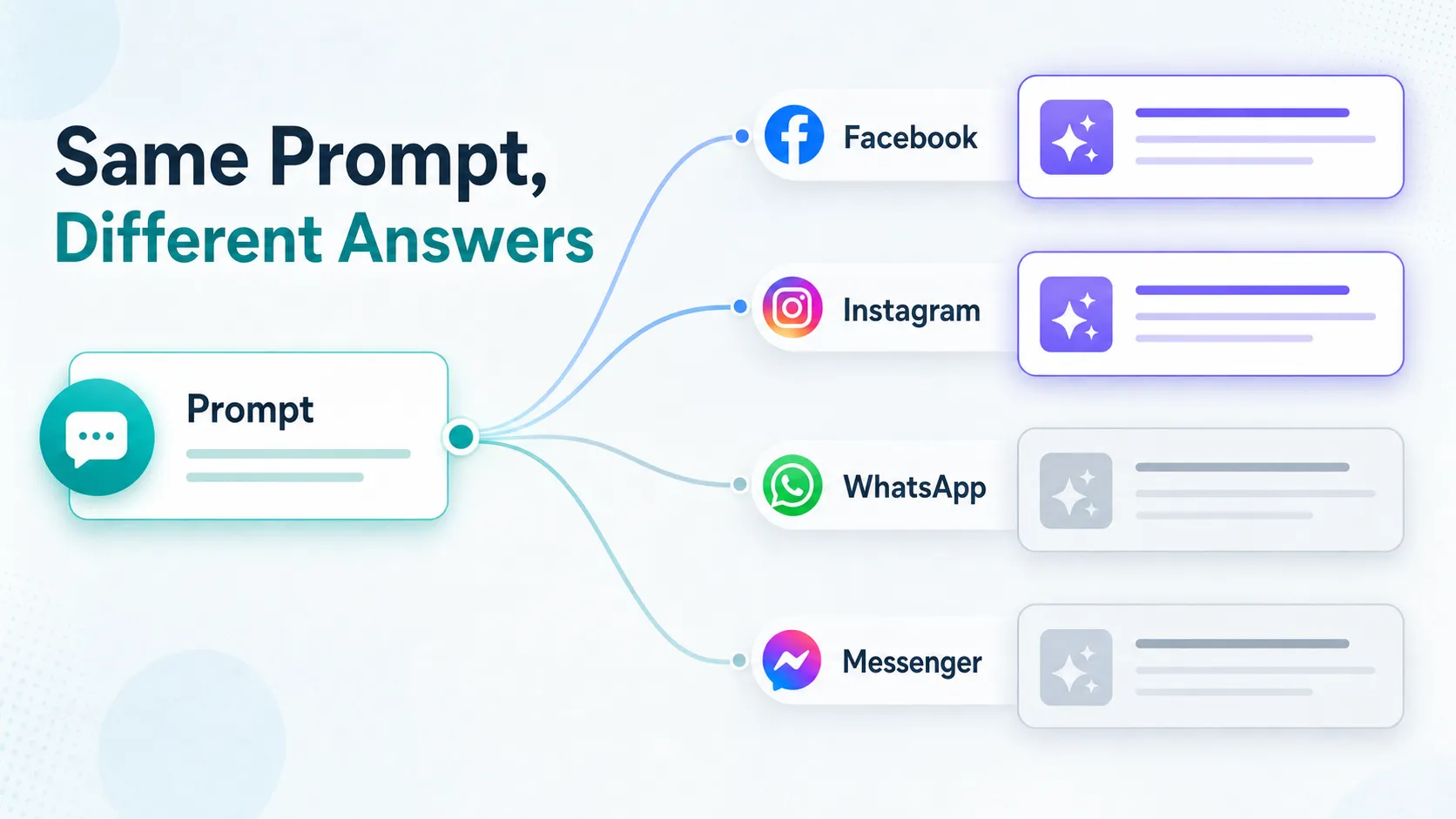
For each response, capture whether the brand appears, where it appears, and whether Meta AI recommends it above or below competitors. A brand named first carries far more weight than one buried in a closing sentence, so position is not optional.
Record any cited sources, linked pages, or obvious source patterns in the answer. Over several runs, a small set of domains usually shows up again and again, and those are the sites shaping the category answer.
Save a screenshot or copied output for any response that looks unusual, wrong, or materially different from a prior run. Screenshots are your evidence when you later argue for a content fix or a source-development push.
Note whether the answer changes by surface. One app can look healthy while another is weak, so log by surface, not just by brand. The practical takeaway: a brand that dominates WhatsApp answers can still be missing entirely from Instagram, and a single blended score would hide that. This surface-by-surface discipline mirrors how the strongest teams handle tracking across every AI search platform, where each engine gets its own column rather than one averaged number.
Log, Normalize, and Score the Data
Raw answers are useless until they become a dataset you can sort and compare. Use one row per prompt, per surface, per date. That granularity keeps the log auditable and lets you filter by any dimension later.
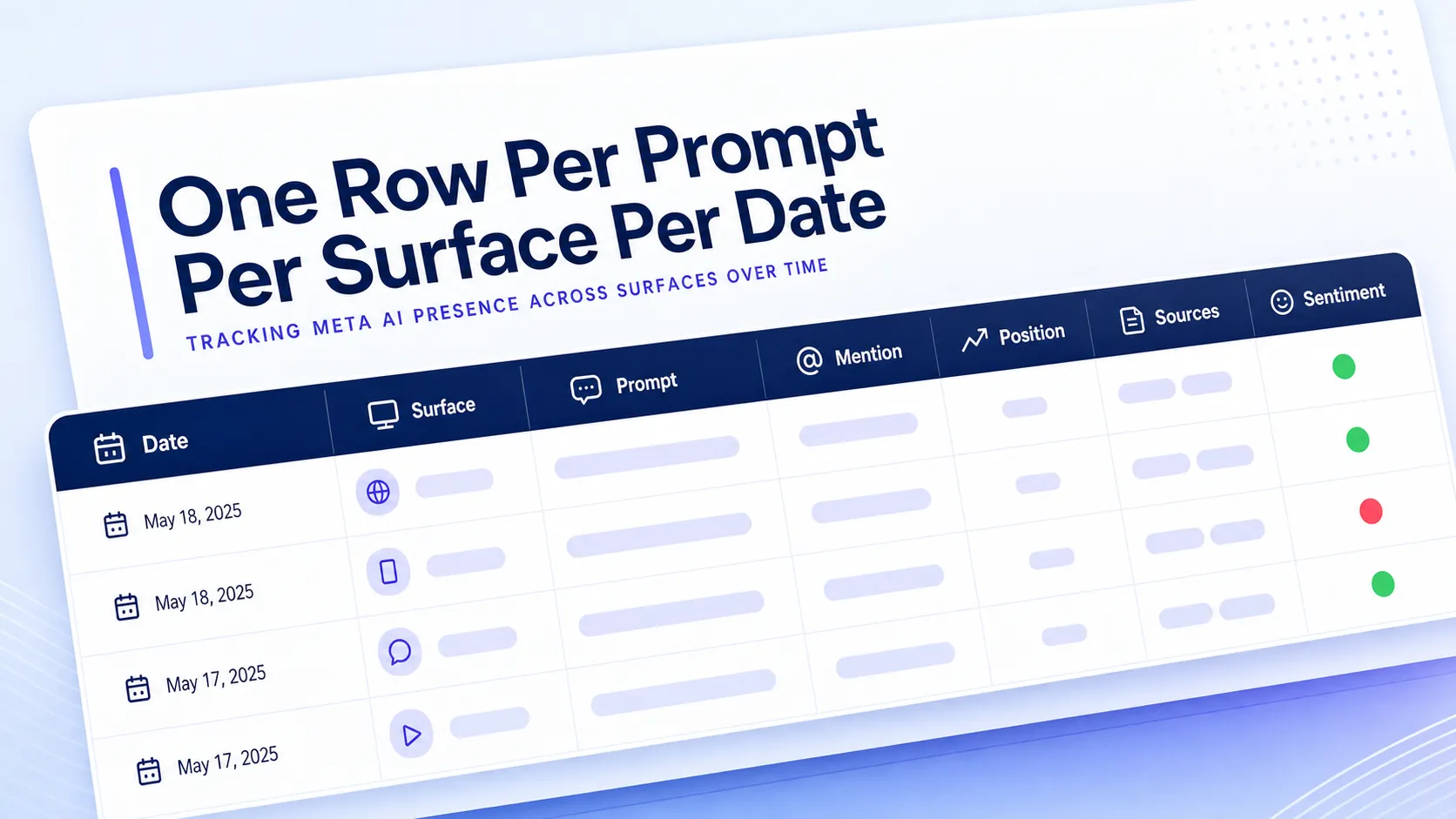
Include a field for each tracked object: date, surface, prompt, mention status, position, cited sources, competitor mentions, sentiment, accuracy, and a notes column. A simple binary mention yes-or-no field plus a separate position field gives you both coverage and quality in two clean columns.
Normalize brand names, competitor names, and source domains before you analyze. The cleanest reporting comes from disciplined normalization, because otherwise one competitor appears under three spellings and the trend line fragments into nonsense. Decide on one canonical form for each entity and stick to it.
Applyformatting so missing mentions, competitor wins, and accuracy errors jump out. Red for no mention, green for a first-position mention, amber for a wrong detail. You want to scan a hundred rows and see the problems in seconds. Turning raw observations into a simple visibility score is where this connects to broader measurement thinking, and our comparison of what to track beyond SEO metrics alone covers which of these signals deserve dashboard space.
Compare Competitors and Interpret the Patterns
The log only earns its keep when it tells you who wins, where they win, and why. Compare your brand against the fixed competitor set using the same prompts and the same surface breakdown every time.
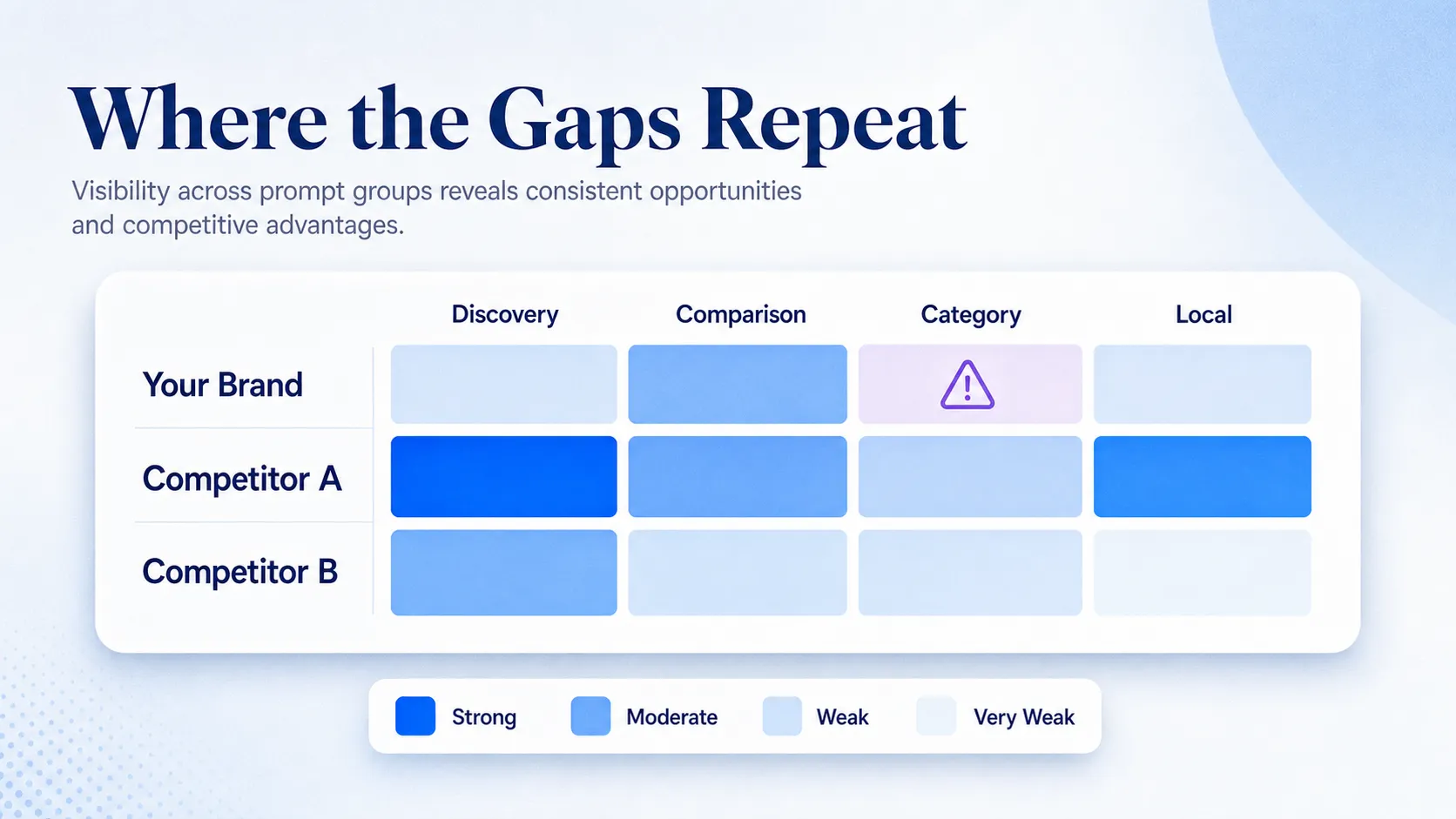
Identify which prompt types produce your strongest visibility and which ones consistently suppress the brand. Most teams discover they do not have a universal visibility problem. They have a few repeatable prompt-and-source gaps that keep resurfacing, usually on category or comparison prompts.
Spot recurring gaps by surface. If Instagram favors a competitor far more often than the other three apps, that is a specific, fixable pattern, not a vague weakness. Treat each surface as its own battleground.
Watch for answers that lean on a small set of sources or repeat a stale brand description. When Meta AI keeps citing the same three domains for your category, those domains are your outreach targets. When it repeats an outdated fact about your product, that is a content and source-correction job.
Tie every pattern to an action. A recurring category-prompt gap points to source development on the domains Meta AI trusts. A wrong detail points to a content refresh and third-party coverage. Reporting without action items is just a nicer-looking spreadsheet. For the deeper mechanics of how these mentions get pulled into answers in the first place, our guide to tracking brand mentions in large language models explains what actually drives inclusion.
See where AI answers put your brand
Twenty minutes with a senior strategist: where the major engines point buyers in your category, who gets named instead of you, and a straight read on what a programme would change.
Book a strategy callTips, Common Pitfalls, and the 30-Day Outcome
A few guardrails separate reliable tracking from wishful tracking. These are the mistakes that quietly ruin a dataset.
Watch for these traps as you run the program:
- Testing too few prompts, which makes a tiny sample look healthier or worse than reality.
- Changing prompt wording between runs, which destroys any chance of a clean trend comparison.
- Blending surfaces into one score, when Facebook, Instagram, WhatsApp, and Messenger each need separate analysis.
- Ignoring region and device settings, a common reason two team members see different outputs for the same prompt.
- Treating a single check as a trend, when only repeated runs on a fixed cadence reveal real movement.
Set the cadence to match your brand. A high-volume consumer brand in a fast-moving category benefits from weekly runs, while a smaller B2B brand can run monthly and still catch meaningful shifts. Add change alerts on your top prompts so a sudden drop or a new competitor gain surfaces before it hardens into a pattern.
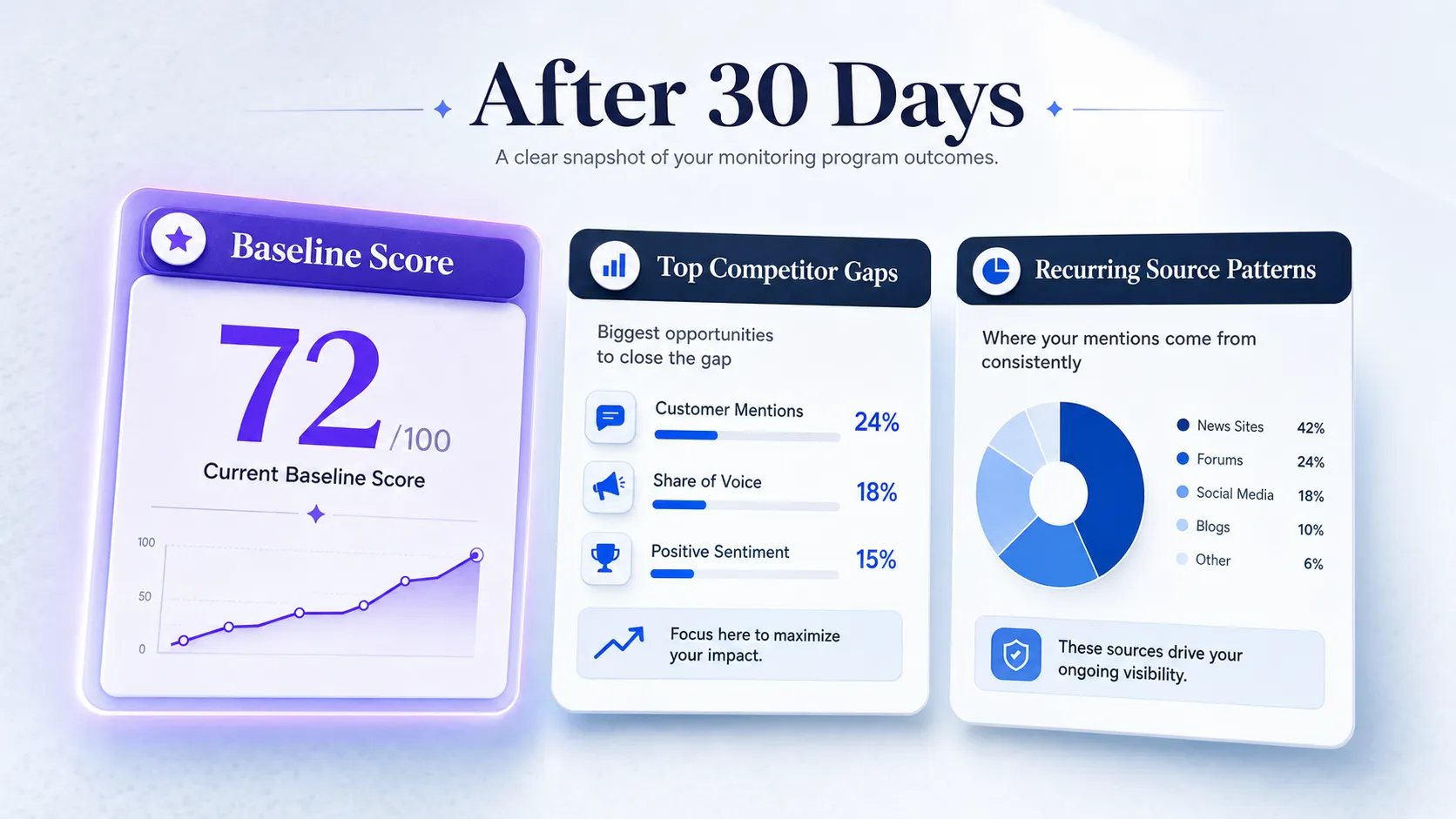
After 30 days of consistent tracking, you should have four concrete outputs: a baseline visibility score, a ranked list of competitor gaps, a set of recurring source patterns, and a repeatable reporting rhythm. A good first month is not perfect visibility. It’s a stable benchmark the team can actually improve from.
Frequently Asked Questions
How do I track my brand in Meta AI?
You track your brand in Meta AI by running a fixed set of prompts across Facebook, Instagram, WhatsApp, and Messenger, then logging whether your brand appears, where it ranks, which competitors show up, and what sources get cited. Freeze the prompt wording, log one row per prompt per surface per date, and repeat on a schedule so week-over-week changes become a visible trend rather than a one-time snapshot.
Does Meta AI cite sources when it mentions a brand?
Sometimes. Meta AI answers include cited sources or linked pages in some responses and rely on model knowledge with no visible citation in others. Log both cases in your tracking sheet, because the domains that do appear repeatedly reveal which sites shape how Meta AI describes your category, and those become your outreach and content-development targets.
How often should I audit Meta AI brand visibility?
Match the cadence to your brand’s size and category volatility. A consumer brand in a fast-moving space benefits from weekly runs, while a smaller B2B brand can audit monthly and still catch meaningful shifts. Whatever you choose, keep it fixed, because a consistent schedule is what turns scattered checks into a reliable trend line.
Can I compare competitors inside Meta AI tracking?
Yes, and it’s one of the most useful parts of the process. Define a fixed set of three to six competitors, then run the same prompts across the same surfaces and record which rivals appear and where. Say you track a project-management tool: running “best project management tool for startups” weekly shows whether Meta AI names you first, buries you below two competitors, or skips you entirely, and how that ranking moves over time.
Which Meta surfaces should I test for brand monitoring?
Test Facebook, Instagram, WhatsApp, and Messenger, and analyze each one separately. Meta AI answers can differ by app, so a brand that leads in one surface may be missing in another. Blending them into a single score hides those gaps, which is why every audit should log results by surface, not just by brand.
Start Tracking, Then Improve
The honest reality is that your first Meta AI audit will probably show gaps you didn’t expect, on prompts you assumed were safe. That’s the point. You can’t improve what you’ve never measured, and a stable baseline beats a vague sense that “AI probably mentions us.” Build the prompt set, run the first audit across all four surfaces, and lock in a fixed schedule so the second run means something. See where your brand stands in AI search and what Meta AI says about you and your competitors by starting the loop this week.