
Pricing

How to Track Which AI Bots Crawl Your Site (2026)

author photo
Jordan Ellis

Author

14 min read
Published On: May 10, 2026 / Updated On: May 14, 2026

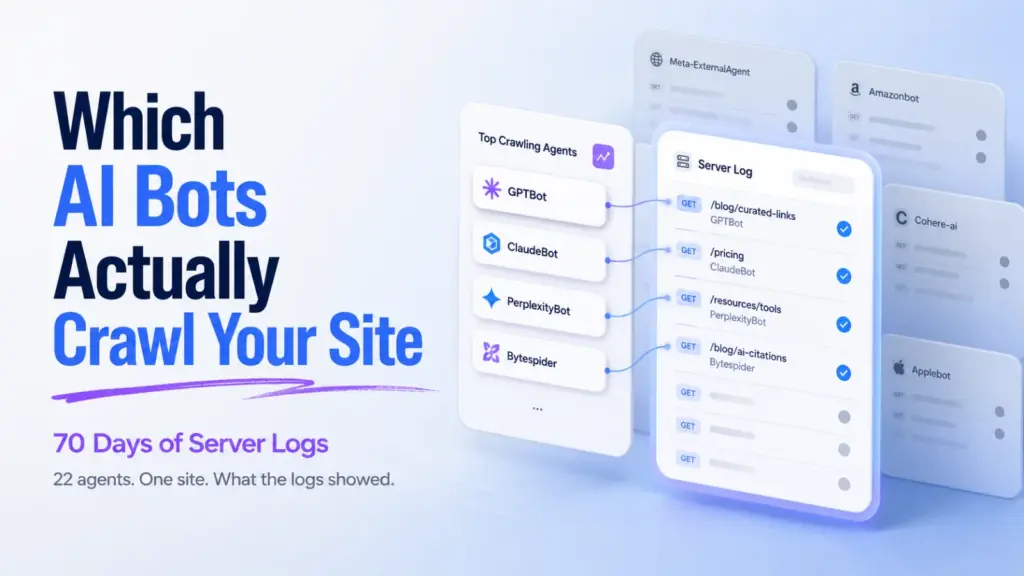
If GPTBot, ClaudeBot, and PerplexityBot aren’t reaching your site, you won’t show up in AI answers. It’s that simple. The first job before any AI visibility work is confirming which bots are actually hitting your pages, how often, and what they’re pulling. Most teams skip this step and wonder why their content never gets cited.

Tracking AI bots isn’t a new discipline. It’s log file analysis with an updated user-agent list. You track AI bots by filtering server logs or CDN analytics for known AI crawler user-agent strings, then verifying authenticity through reverse DNS or published IP ranges. The tools you already have. Cloudflare, Akamai, Vercel, raw access logs, already capture this data. You just need to know what to look for.

This guide walks through the exact methods, the user-agents that matter in 2026, and how to turn bot data into something useful.

What You’ll Learn

  • The 12 AI bot user-agents worth tracking right now (and which ones to ignore)
  • Three methods to detect AI crawlers, server logs, CDN dashboards, and bot tracking tools
  • How to verify a bot is real and not a spoofed user-agent
  • What healthy AI bot traffic looks like, and what crawl gaps signal
  • How to set alerts for sudden bot drops, spikes, or new crawlers
ai-bot-tracking-data-layers-diagram
Bot tracking gets clearer as you move up the stack, but the raw logs are still where the truth lives.

Which AI Bots Actually Matter in 2026

The AI crawler ecosystem has split into three categories. Treating them the same is the most common tracking mistake.

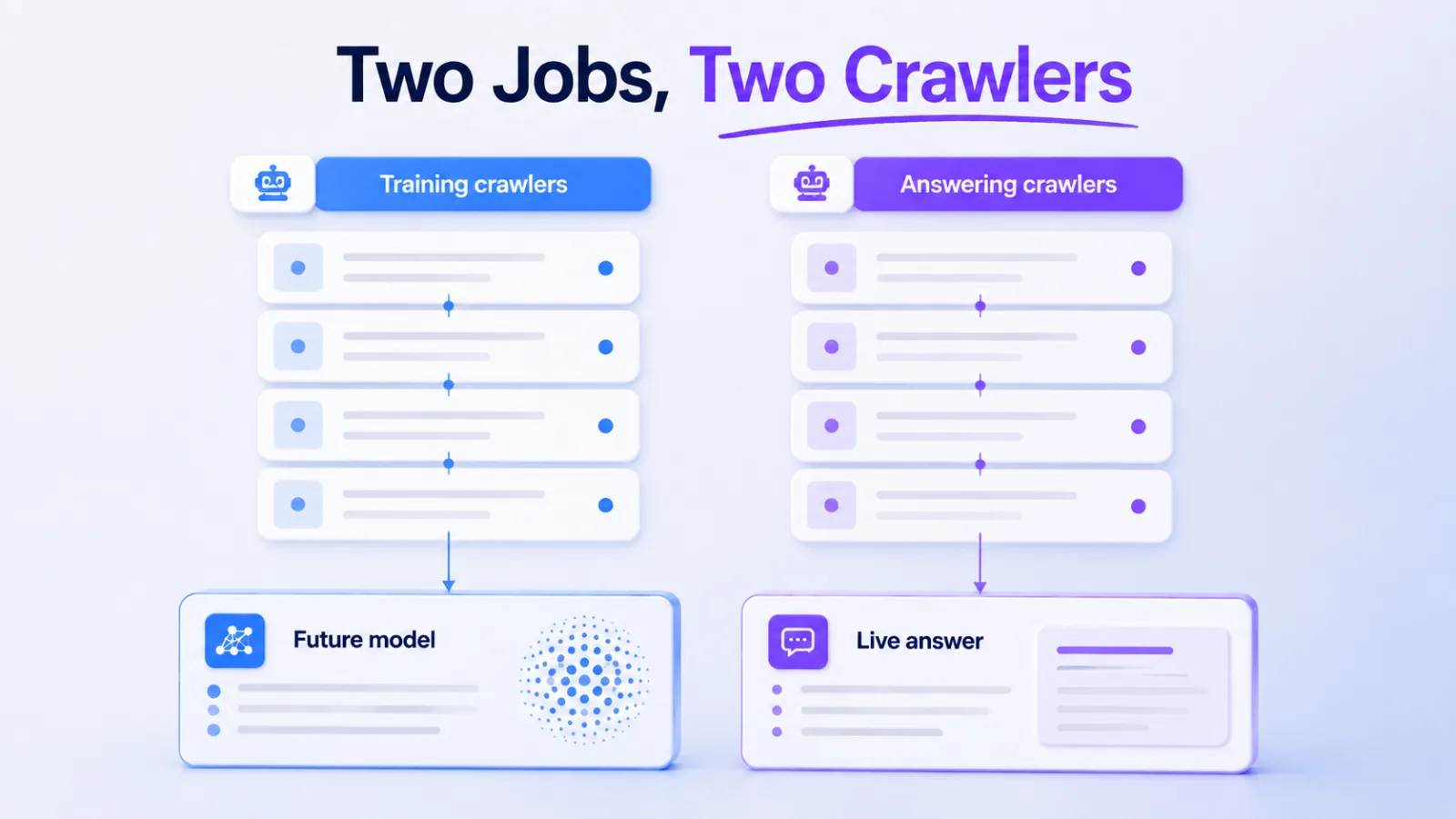
Training crawlers pull content into model training datasets. They visit infrequently but at scale.

Retrieval crawlers fetch pages in real time when a user asks an AI assistant a question. These are the ones tied directly to citation events.

Hybrid agents do both, depending on context.

Here’s the user-agent list worth filtering for:

Bot Operator Type User-Agent String
GPTBot OpenAI Training GPTBot
OAI-SearchBot OpenAI Retrieval OAI-SearchBot
ChatGPT-User OpenAI User-triggered fetch ChatGPT-User
ClaudeBot Anthropic Training ClaudeBot
Claude-Web Anthropic Retrieval Claude-Web
PerplexityBot Perplexity Hybrid PerplexityBot
Perplexity-User Perplexity User-triggered Perplexity-User
Google-Extended Google Training (Gemini) Google-Extended
Googlebot Google Search + AI Overviews Googlebot
Meta-ExternalAgent Meta Training Meta-ExternalAgent
Bytespider ByteDance Training Bytespider
Applebot-Extended Apple Training Applebot-Extended

Don’t waste time tracking every minor crawler. Start with GPTBot, OAI-SearchBot, ClaudeBot, PerplexityBot, and Google-Extended. Those five cover the platforms most B2B buyers actually use.

The most important AI bots to track in 2026 are GPTBot and OAI-SearchBot from OpenAI, ClaudeBot from Anthropic, PerplexityBot, and Google-Extended for Gemini. These five user-agents represent the AI platforms responsible for the majority of brand citations in AI search.

training-bots-vs-retrieval-bots-traffic-pattern
Training bots come in waves. Retrieval bots are a steady drumbeat, and they’re the ones that signal real AI visibility.

Method 1: Server Log Analysis (The Source of Truth)

Your server access logs capture every request, including bots. This is the most reliable tracking method because it doesn’t depend on third-party detection or JavaScript firing.

Logs typically live at /var/log/nginx/access.log, /var/log/apache2/access.log, or in your hosting provider’s log dashboard. Each line contains the IP address, timestamp, requested URL, status code, and user-agent string.

Pulling AI Bot Hits from Raw Logs

For Nginx or Apache, a basic grep gets you started:

grep -E "GPTBot|ClaudeBot|PerplexityBot|OAI-SearchBot|Google-Extended" access.log

That returns every line where one of those user-agents requested a page. Pipe it into awk or cut to extract URLs, count requests per bot, or find the most-crawled pages. For larger sites, GoAccess turns raw logs into a real-time dashboard with bot filtering built in.

What to Pull Weekly

  • Total requests per AI bot
  • Top 20 pages each bot visited
  • Status codes returned (4xx and 5xx errors mean bots are getting blocked)
  • Crawl frequency per bot (daily, weekly, monthly cadence)
  • Pages that received zero AI bot traffic in the last 30 days

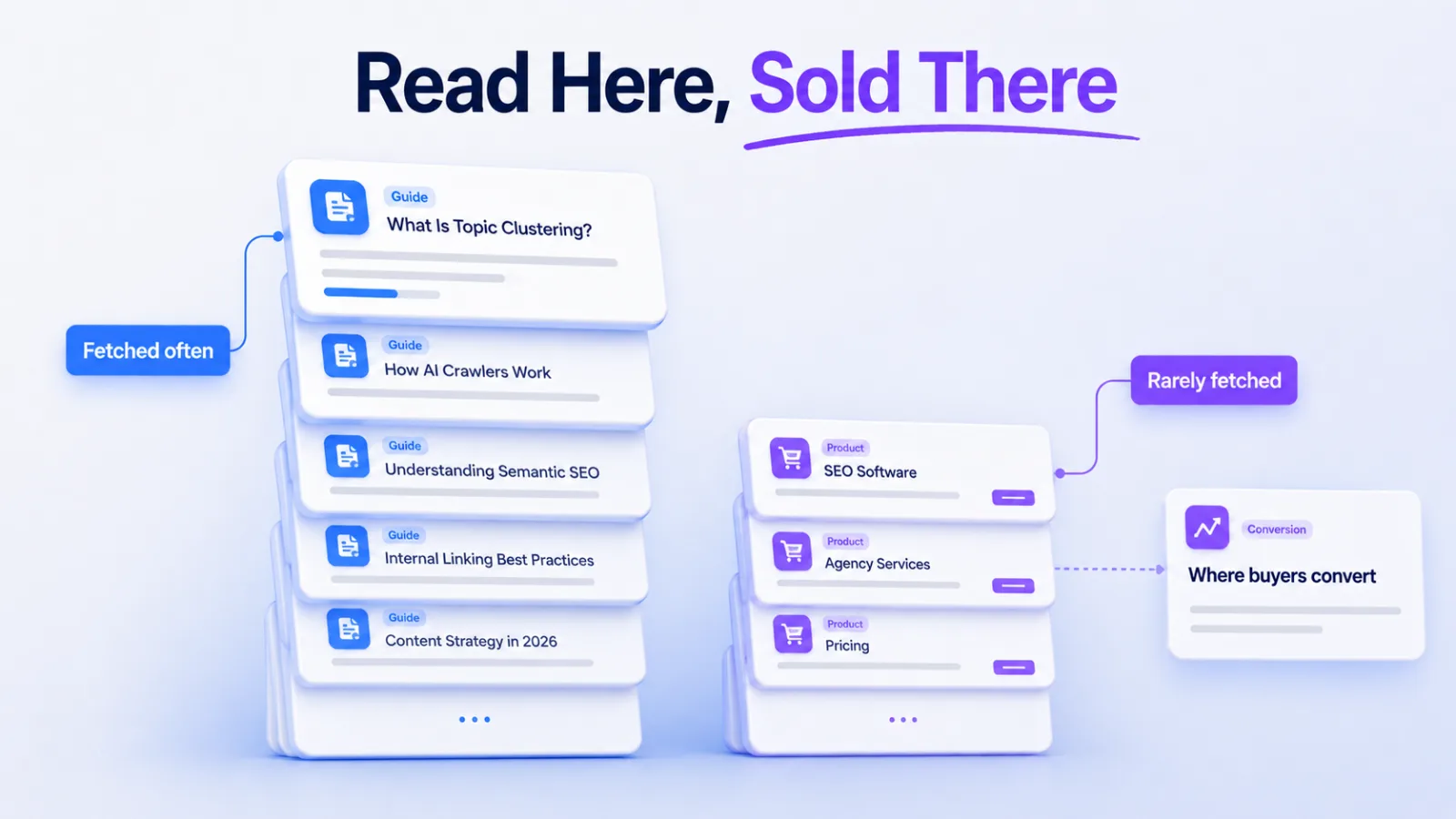
That last one is the gold. Pages AI bots aren’t reaching can’t be cited. If your highest-converting page hasn’t been crawled by GPTBot in 6 weeks, that’s a fixable problem.

The Limitation

Raw log analysis is powerful but slow. Logs rotate, queries take time, and you won’t catch issues in real time. For sites under 100k pages a month, manual log review every 1–2 weeks works. Above that, you need automation.

server-access-log-ai-bot-grep-terminal
What you’re hunting for: the user-agent string at the end of each request. Three lines here, three different AI crawlers.

Method 2: CDN and Edge Provider Dashboards

If you run Cloudflare, Akamai, Fastly, or Vercel in front of your site, you already have AI bot tracking, most teams just don’t know where to look.

Cloudflare

Cloudflare’s Bot Analytics dashboard categorizes traffic into “verified bots,” “likely bots,” and “humans.” Inside the verified bots view, you can filter by specific AI crawlers including GPTBot, ClaudeBot, PerplexityBot, and Google-Extended. The free tier shows the last 24 hours; paid plans extend this to 30+ days. Cloudflare also publishes its AI Crawler Index, which tracks which bots crawl the web most actively across millions of sites.

Akamai

Akamai’s Bot Manager gives granular control and visibility, including custom rules per AI bot. You can route GPTBot traffic to a different cache, log it separately, or apply rate limits without blocking. The reporting dashboard shows hits per bot over configurable timeframes.

Vercel

Vercel’s edge logs capture user-agent data for every request. The Observability tab in newer versions of the Vercel dashboard surfaces bot traffic without requiring you to leave the platform. Filter by user-agent in the request logs view.

Fastly

Fastly’s real-time log streaming sends access data to your destination of choice. BigQuery, Datadog, S3, where you can build custom AI bot dashboards with whatever query tooling your team already uses.

The CDN approach beats raw logs for one reason: speed. You can see a GPTBot crawl spike within minutes, not days.

Method 3: Dedicated AI Bot Tracking Tools

Several tools have launched specifically to track AI crawler traffic. They sit on your server, in your CDN, or as a JavaScript tag, and produce dashboards focused on AI bot activity.

The category includes Scrunch (Agent Traffic), Hall (Agent Analytics), Profound, Botify (log file analysis with AI focus), and newer entrants like LLMS Central and BotWatcher. They differ in how they collect data, some pull from logs, some from CDN integrations, some from a JS tag, but they all attempt to answer the same questions: which bots, which pages, how often.

These tools are useful when:

  • You don’t have engineering resources to query logs
  • You need historical data going back months
  • You want alerts on bot anomalies without building them yourself
  • You need to correlate bot crawls with citation events in AI answers

They’re less useful when you already have Cloudflare or Akamai dashboards with bot analytics and someone on the team comfortable in BigQuery. A purpose-built tool adds polish, not raw capability.

ai-bot-tracking-dashboard-mockup
A purpose-built dashboard surfaces the data faster, but the underlying answer is always the same: which bots, which pages, how often.

How to Verify a Bot Is Actually Real

User-agent strings can be spoofed by anyone. A scraper claiming to be GPTBot might be a competitor mining your content. Verification matters.

Two methods work in 2026:

Reverse DNS Lookup

Real OpenAI bots resolve to subdomains under openai.com. Real Anthropic bots resolve under anthropic.com. Real Perplexity bots resolve under perplexity.ai. Run a reverse DNS lookup on the IP address making the request:

host 20.171.207.1

If the result doesn’t end in the operator’s domain, the user-agent is fake. Drop the request from your analysis.

Published IP Ranges

OpenAI, Anthropic, and Perplexity all publish official IP ranges for their crawlers. OpenAI’s are documented at OpenAI’s bot documentation. Cross-reference each request’s IP against the published list. Cloudflare and Akamai do this automatically in their “verified bots” categorization.

Skip verification at your peril. We’ve seen sites where 30% of supposed GPTBot traffic was actually competitive scraping under a spoofed user-agent. That data, uncorrected, leads to wrong conclusions about AI visibility.

What Healthy AI Bot Traffic Looks Like

There’s no universal benchmark, bot traffic varies wildly by site size, content type, and category. But here are patterns we see consistently across B2B sites:

  • GPTBot typically crawls 5-15% of indexable pages per month on a healthy site
  • ClaudeBot tends to crawl less frequently but goes deeper on the pages it reaches
  • PerplexityBot shows the most volatile pattern, heavy crawl bursts tied to user query trends
  • Google-Extended follows Googlebot patterns closely; if Googlebot is crawling well, Google-Extended usually is too
  • OAI-SearchBot and ChatGPT-User hit specific pages tied to live user prompts, these are the bots most directly correlated with citation events

If you see zero traffic from any of these bots over 30 days, something’s wrong. Common causes: robots.txt blocks, WAF rules, JavaScript-only rendering that bots can’t parse, or accidental server errors returning 5xx codes to specific user-agents.

Setting Alerts for Bot Anomalies

Manual review catches issues eventually. Alerts catch them immediately. Three alerts every team should set:

  1. Bot drop alert. Notify when any tracked AI bot’s daily request count falls below 25% of its 30-day average. This catches accidental robots.txt edits, WAF misconfigurations, and CDN rule changes that block bots silently.
  2. Bot spike alert. Notify when any bot’s request count exceeds 300% of average. Spikes can indicate aggressive scraping under a spoofed user-agent or a real bot hammering your origin (rare but real, especially during model retraining cycles).
  3. New crawler alert. Notify when a previously unseen AI-related user-agent string starts hitting your site. New bots launch every few months in 2026, you want to know which ones to add to your tracking before they accumulate three months of unmeasured traffic.

Cloudflare, Datadog, and most log management platforms support these alerts natively. Wire them into Slack or email, bot anomalies are urgent enough to interrupt the day.

Common Mistakes Teams Make Tracking AI Bots

Five patterns to avoid:

Tracking only training bots. Training crawlers like GPTBot and ClaudeBot matter for long-term presence in model knowledge. But retrieval bots. OAI-SearchBot, Perplexity-User, ChatGPT-User, are the ones tied to actual citation events happening today. Track both.

Confusing bot traffic with AI referral traffic. Bot traffic is AI crawlers fetching your pages. AI referral traffic is humans clicking from ChatGPT or Perplexity to your site. They’re different metrics measured in different places. Don’t mix them in the same dashboard.

Ignoring 4xx and 5xx responses. A bot getting 200 responses across 1,000 pages is healthy. A bot getting 403s across 1,000 pages is a problem. Always pair bot hit counts with status code distribution.

Blocking bots accidentally. WAF rules tuned to stop scrapers often block legitimate AI crawlers as collateral. If you see a bot’s traffic suddenly drop, check your WAF logs before assuming the bot deactivated.

Treating bot data as the goal. High bot traffic doesn’t mean high AI citation rates. It means bots can reach your pages, necessary but not sufficient. The next step is making sure your content earns citations once bots arrive. That’s a separate problem.

ai-bot-crawl-to-citation-funnel
Bots reaching your pages is the floor, not the ceiling. The pages that get cited are a smaller, more selective set.

Turning Bot Data Into Action

Tracking is the diagnostic. Here’s what the data tells you to do:

Pages with high bot traffic but no AI citations are usually retrieval-ready but not citation-worthy. Improve specificity, add data, strengthen the entity definitions, and rewrite for extractability.

Pages with low bot traffic are accessibility problems. Check robots.txt, WAF rules, JavaScript rendering, internal linking, and sitemap inclusion. Bots can’t cite what they can’t reach.

Pages with declining bot traffic over time are usually the canary for a technical regression, a recent deploy broke something. Cross-reference the date of the drop with your deploy log.

New bots appearing in your logs mean new platforms entering the AI search ecosystem. Decide quickly whether to allow them (most cases) or block them (specific competitive concerns). Don’t leave the question unanswered for months.

Bot tracking is the first 20% of AI visibility work. The remaining 80% is content strategy, entity authority, and earning placements on the publications AI models reference. But none of that compounds if bots can’t reach your site to begin with.

Frequently Asked Questions

How do I check if AI bots are crawling my site right now?

Open your server access logs and search for user-agents like GPTBot, ClaudeBot, PerplexityBot, OAI-SearchBot, and Google-Extended. If you use Cloudflare, the Bot Analytics dashboard shows verified AI bot traffic without log access. The fastest check is running grep -E "GPTBot|ClaudeBot|PerplexityBot" access.log on your most recent log file.

Do AI bots respect robots.txt?

Most major AI bots. GPTBot, ClaudeBot, PerplexityBot, Google-Extended, publicly commit to respecting robots.txt directives. User-triggered fetches like ChatGPT-User and Perplexity-User often bypass robots.txt because they’re treated as user-initiated requests rather than automated crawls. Smaller or unofficial AI scrapers may ignore robots.txt entirely. Verification through reverse DNS or IP ranges is the only reliable check.

Can I track AI bots in Google Analytics?

No, not reliably. Google Analytics is JavaScript-based, and most AI bots don’t execute JavaScript or get filtered out by GA’s bot exclusion rules. Server logs, CDN dashboards, and dedicated bot tracking tools are the only methods that consistently capture AI crawler traffic.

What’s the difference between GPTBot and OAI-SearchBot?

GPTBot crawls pages to gather data for OpenAI’s model training, it builds long-term knowledge in ChatGPT. OAI-SearchBot fetches pages in real time when ChatGPT needs current information to answer a user’s question. GPTBot impacts what ChatGPT knows about your brand over months; OAI-SearchBot impacts whether your page gets cited in a specific answer today.

How often should I review AI bot traffic?

Weekly review is enough for most B2B sites. Set automated alerts for bot drops, spikes, and new crawlers so you don’t miss anomalies between reviews. Sites publishing high volumes of new content should review more frequently to confirm new pages are being crawled within reasonable timeframes.

Should I block any AI bots?

For most B2B brands, no. Blocking AI bots removes your content from AI training data and AI search results, exactly the opposite of what you want for visibility. The exceptions: paywalled content, proprietary research you don’t want repurposed, and sites where AI scraping causes server load issues. Make this decision deliberately, not by default.

What’s a normal AI bot traffic volume?

Volume varies enormously by site size and content type. A more useful benchmark is consistency, major AI bots should appear in your logs every week, hitting a meaningful percentage of your indexable pages each month. If you see zero AI bot traffic over 30 days, treat that as a problem regardless of site size.

How do I know if my robots.txt is blocking AI bots?

Check your robots.txt file at yourdomain.com/robots.txt and look for Disallow rules targeting GPTBot, ClaudeBot, PerplexityBot, or Google-Extended. Free tools like the AI Crawler Access Checker show exactly which AI bots are allowed or blocked by your current robots.txt configuration. Run this check after every robots.txt edit.

Get the Crawl Data, Then the Citation Strategy

Tracking which AI bots crawl your site is a 1-hour setup task with a multi-month payoff. Pull your access logs this afternoon, filter for the five bots that matter, and check what’s happening. If the answer is “not much,” you’ve found a problem worth fixing. If the answer is “plenty,” you’re ready for the harder work, turning crawl access into actual citations in AI answers.

Want a deeper view of what AI is saying about your brand once those bots are crawling? Our guide on tracking brand mentions in AI search covers what to do with the visibility you’re earning.

Jordan Ellis

Jordan Ellis is an AI search visibility specialist and content strategist with over 8 years of experience in B2B digital...

Leave a Reply

Your email address will not be published. Required fields are marked *

Ready to build your AI visibility?

Let's discuss how to get your brand recommended by AI assistants.

Get Your Free Audit
Get Your Free AI Visibility Audit